Very cool tool! 1 question, it says it is single file by default, for example AppImages. However everything outputs as a folder structure. I know how to pack an appimage but curious where the setting is to switch this and do it for me?
PS I know this is targeting packaging web games but this works for non-entertainment software too!
Wow, thank you for so many avenues to access a DRM free copy. I know it is risk on your part but it is a big deal to me. Expect a purchase of some form and good luck on your full release someday!!
I do have Pro, I will have to try and make some stuff, honestly forgot about that feature :)
Understandable, the resize points are more just convenience and a time saver then necessary.
As for zoom/point 1 right now zoom levels go 10% - 20% - 30% - etc, I am hoping it could be possible to have 5% and/or 1% zoom increment levels through a setting or key combo.
Zoom increment setting to set my scroll wheel to increment by 1, 5, 10. This could even be a drop down near the zoom %, and when switching between increments round to the nearest increment, so 33 would go to 35 or 40 when zooming out.
The little handle on the organize node that is used to resize appearing in whichever corner my mouse is near whenever it is in the box, else default to bottom right.
CTRL+S just saves without dialog and CTRL+SHIFT+S saves as with dialog.
Just a label node that has no box or connections, basically a floating text element.
Been using this for a lot of design flows in my game and I love it, Thank you for the tool and what it does!
You should have somewhere that explains the licensing differences. I don't want to pay $20+ dollars and find out it can't be used commercially for example. Doubt that is the case but please elaborate somewhere outside the paywall what and why it is different. Assets look great btw!
It works now, you got yourself a purchase! Yeah that build was definitely off lol
This application is nice for designing systems flows, user stories and game dialog. I hope you continue working on it and thank you for implementing the setting.
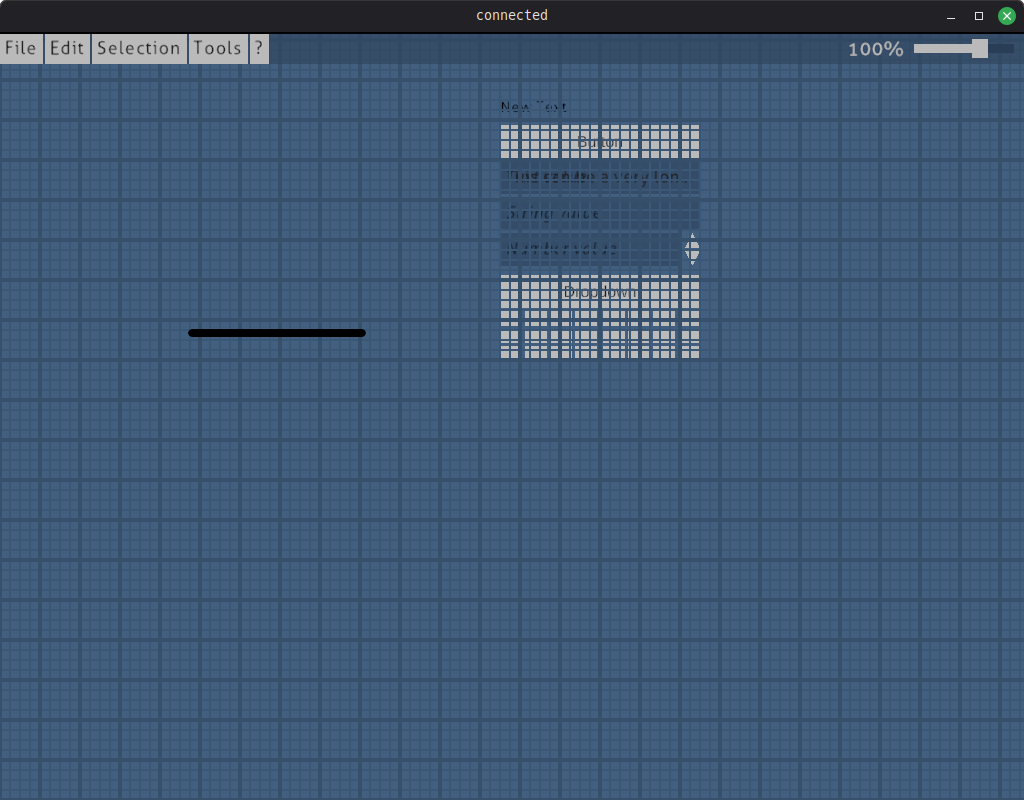
Well the full screen setting works perfect but unfortunately the rest of the application is now broken :( The UI button elements are there from start up. The black bar there is the right click menu
Tried this on my Linux Mint desktop and LMDE laptop.
Or maybe even just make it be a toggle to be either a layers panel, timeline or both? I'd be happy with that! Then I could have a paint layout and an animation layout.
This is my DEFACTO pixel editor now! I love it! One feedback though, can layers be it's own panel vs being apart of the animations timeline? I'd really like to move it without moving the entire animations panel. I use a LOT of layers generally
Found in your docs that it is alt+enter but that doesn't seem to work on Linux, this should definitely be a setting in your settings window vs a keyboard shortcut!
This program is pretty awesome btw!!! I want to buy the full version but I need that Windowed mode working, please :)
I am on Linux Mint 22.2 on X11 Cinnamon desktop for reference