By Gear Experts
Table of Contents

Equipboard
Equipboard is the world's largest community of artists and their gear. Read our review process.
We are reader-supported. When you buy through links on our site, we may earn an affiliate commission. Learn more.
Our Picks


Native Instruments Traktor Kontrol S4 MK2


For beginners, choosing the right DJ controller can be tricky, and overwhelming. It's not just about finding something within your budget; there are offerings from a wide range of brands like Pioneer DJ, Rane, and Native Instruments amongst several others, and prices can vary from a couple of hundred dollars to thousands. The vast selection can make it difficult to know where to start and what to look for.
Understanding software compatibility is key, as not all controllers work with all DJ software. For instance, Pioneer DJ controllers are often compatible with Rekordbox and Serato DJ, while others may be optimized for specific software like Traktor. This guide aims to simplify the process, providing clear and up-to-date recommendations for the best DJ controllers under $600. Whether you're looking for something basic to start your DJ journey or a versatile controller with more advanced features, we'll help you find the right fit for your needs.
All-In-One DJ Controllers
In this article, we’re focusing on all-in-one DJ controllers. These units combine all essential DJing components - two decks (for playing music), a mixer, and a sound card - into a single device. All-in-one DJ controllers are designed to work with DJ software on your computer, laptop, or even mobile devices.
On the other end of the spectrum is a modular setup, commonly seen in clubs or music venues. A typical modular setup includes separate components like two or more Pioneer decks and a DJ mixer, often a Pioneer DJM. This configuration is the professional standard but can be very costly - we're talking several $1000s - making it a nonsense option for beginners.
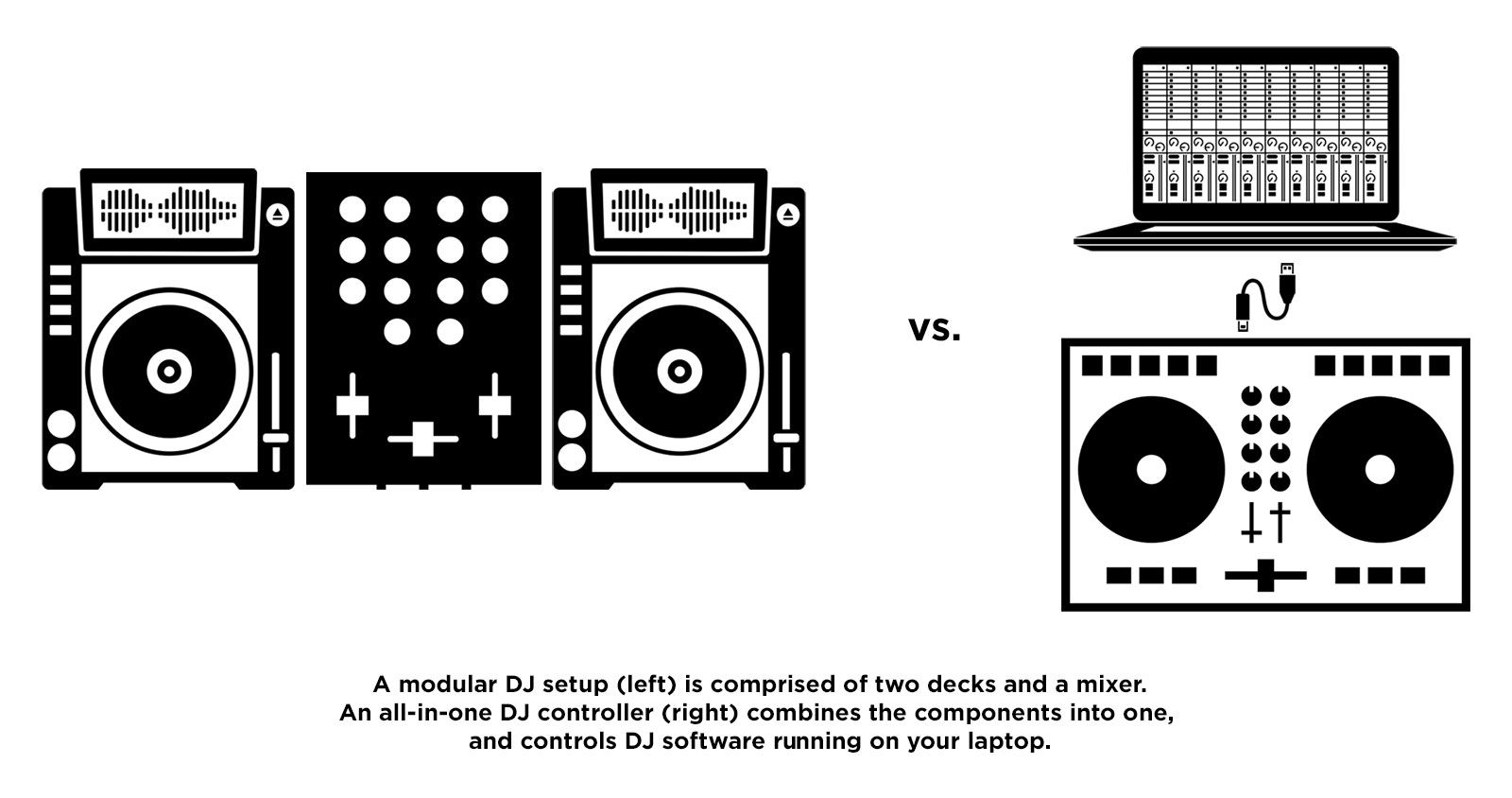
All-in-one DJ controllers have surged in popularity because they are more portable, affordable, and user-friendly. Unlike older setups that relied on vinyl records or CDs, modern DJs now prefer to store and access their music digitally. The era of CD players in DJ controllers has effectively ended, with modern equipment like Pioneer’s XDJ series focusing solely on digital media, such as USB sticks. These new media players and controllers are designed to work seamlessly with laptops, iPads, and even smartphones, making the digital device the heart of a DJ setup.
This shift has made all-in-one DJ controllers an excellent choice for both beginners and experienced DJs. They offer a tactile experience with jog wheels, faders, and knobs, making it easier to control DJ software while retaining the feel of traditional DJing hardware. As the industry continues to evolve, these controllers offer an accessible entry point into the world of digital DJing.
But First, Software
Alright, this is important: The first step in finding the best all-in-one DJ controller for you is to determine which DJ software you plan to use. If you haven’t decided yet, picking out a controller can be a frustrating experience. The core of digital DJing lies in your computer and the DJ software running on it, as this is where most of the functionality and creativity happens. Don’t worry, though—if you choose a DJ software and corresponding controller but later decide you want to switch software, it's not a major issue. Most DJ controllers can be “re-mapped” to work with various DJ software, but we'll discuss this in more detail later.
If you haven’t considered your DJ software yet, we highly recommend checking out our guide to choosing the Best DJ Software. This isn’t just a plug for another article; understanding your software options is crucial. Our guide covers Rekordbox, TRAKTOR, Serato, and other popular choices, helping you get a sense of which one might be best for you.
The best DJ controller for you will be the one that feels like a natural extension of the DJ software you’re using. This is where things can get a bit complex, as several manufacturers collaborate to ensure compatibility between hardware and software. For instance, Pioneer DJ controllers are commonly associated with Rekordbox but are also compatible with Serato DJ. Native Instruments manufactures both the TRAKTOR software and its own line of controllers. Other brands like Rane, Hercules DJ, and Numark also produce controllers optimized for specific DJ software.
You might be wondering - does this mean I can only use a DJ controller with a single software?
Fortunately, no. Most DJ controllers transmit MIDI messages, allowing them to be re-mapped to work with a variety of DJ software. You'll often find discussions in forums about mappings for different controllers and software combinations. However, if you’re just starting out or prefer a more straightforward setup, it’s wise to choose a controller designed to work seamlessly with your chosen DJ software. This will allow you to start playing without any hassle and focus on honing your skills.
What To Look For When Buying an all-in-one DJ Controller
In the section above, we covered what is probably the most important thing to look for when selecting your DJ controller: what DJ software are you going to be controlling? Aside from that, here are a few other things that should factor into your buying decision:
Budget: Budget is important no matter what gear you’re shopping for, but in the world of DJ controllers you’d be surprised how big the price gap is between a cheap DJ controller, and a top-of-the-line “pro” one. For TRAKTOR, you can get the solid S2 for under $400, or the more advanced S4 for around $1000. The difference is even more drastic between Pioneer controllers. A good Pioneer DJ controller to control Rekordbox or Serato can run you $250, up to $2000 and above! The difference is mainly going to be in features, control, and build quality. The less expensive controllers are generally more compact and portable, and as such sacrifice features that you might want to use in the DJ software at the touch of a button or knob (i.e. the more knobs/buttons/sliders, the more things can be mapped to them for you to have at your fingertips). Remember that this is not necessarily a must-have, since during a DJ set there are some features of your DJ software you might not ever care to mess with. Also remember that the bigger and more expensive your controller gets, the less portable it becomes. A reason to splurge, however, might be the improved build quality. High-end controllers have more robust components, and things like bigger jog wheels, more indicators and LEDs, and sturdier knobs and crossfaders could be desirable for the performing DJ, or if you’re into things like scratching.
Portability: Quite simply, how portable do you need your DJ controller to be? Do you bring your own equipment everywhere, or do you just need something as a backup in case the club’s setup is not adequate? Are you just practicing at home? Need the controller to fit in your backpack? Smaller and more portable controllers are going to be less expensive, but also have fewer features.
How Did We Make This List?
Choosing the right DJ controller is challenging, especially with so many options available. Some models consistently appear in discussions and recommendations as great starting points for both beginners and intermediate DJs. We wanted to personally test these popular models to determine which ones offer the best value and features, while keeping the price point sensible.
We set a $600 price ceiling, as this is a reasonable limit for those starting out or upgrading without breaking the bank. This range allows for high-quality options that offer excellent functionality and durability without unnecessary expenditure. Additionally, we ensured our list includes controllers compatible with major DJ software platforms: Rekordbox, Serato, and Traktor. This way, no matter your preferred software, there's a suitable option available.
Through hands-on testing and careful evaluation, we've curated a list of DJ controllers that deliver exceptional functionality, build quality, and versatility. Whether you're just starting out or looking for a reliable controller within a sensible budget, our recommendations aim to help you make an informed decision and enhance your DJing experience.
Native Instruments Traktor Kontrol S2 MK3
4.5 (7)











Average Price: $291
Standard/Professional
$175
$701+
Budget
Standard
High-end
- Jog wheels are much bigger and improved over previous versions
- New layout offers better workflow and ease of use
- Software upgrades are stable with dedicated updates
- Sturdy construction with reliable USB connector
- See 5 more
- No 1/4" TRS outputs, only RCA and headphone jacks
- No power adapter provided, although USB power works fine
- Missing effect knobs compared to previous MK2 model
- Small pitch slider makes beatmatching harder
- See 4 more
Software Compatibility: TRAKTOR
Bundled Software: TRAKTOR Pro 4
Suitable for Skill Level: Beginner to Intermediate
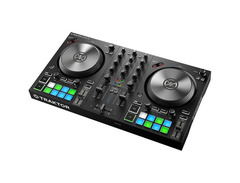
The Native Instruments Traktor Kontrol S2 MK3 is a really nice option for a beginner to intermediate all-in-one DJ controller, especially if you’re looking to use TRAKTOR DJ software. That should come as no surprise, since Native Instruments created both of those things. The S2 is fully mappable, so if you like you can use it with any DJ software. Its bread and butter, however, is its very tight, seamless, fine-tuned integration with TRAKTOR, as many of its buttons and knobs correspond directly to features within that particular DJ software. If you’ve decided on TRAKTOR as your DJ software, then you should definitely keep reading.
The Traktor Kontrol S2 MK3 is a 2-channel controller, and is the little brother to the more full-featured, 4-channel S4. The S2 cost significantly less, has a significantly smaller footprint, it’s lighter, and overall it’s just simpler. It’s not necessarily better or worse than the S4. The simplicity of the S2, along with its much lighter price tag, makes it less daunting of an investment, and easier to get into and get going. It’s also pretty portable, and is MUCH more likely to fit into a bag or backpack.
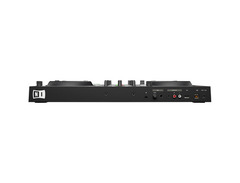
The inputs and outputs on the S2 provide a nice level of flexibility. On the back of the unit is a 1/4” mic input with a gain knob, stereo RCA outputs to hook up your sound system, and USB to hook up to your laptop (and power the S2). On the front you have a 1/8” headphones jack.
The build quality of the Traktor Kontrol S2 MK3 is good, not great. It’s a mix of plastic and aluminum, and at first the plastic makes it seem more flimsy but generally in the field these have been holding up well. The knobs have a rubberized coating which feels nice, and the jog wheels have an aluminum top which is pleasant to the touch (the jog wheel size has been improved from the MK2 to 14cm). If you’re a jog wheel person, they are very responsive and you can scratch to your heart’s content. The crossfader feels a little cheap, but its functionality is good.

Layout-wise, the S2 MK2 pretty much conforms to the all-in-one DJ controller standard. You’ve got left and right decks with jog wheels, connected by a 2-channel mixer in the middle. Below the jog wheels you’ve got eight rubberized pads to control hot cues, transport controls and more. Tempo adjust sliders are out to the side. The channel strips are nice, with 3-band EQ, level meters, and headphone pre-listen CUE buttons (to cue up your next track in your headphones so you can mix it in, and not let the crowd hear). The MK3 introduces a simplified FX section, replacing the more complex one from the MK2
Here’s the really cool thing about the Traktor Kontrol S2 MK3: It comes with the FULL version of Native Instruments’ DJ software, TRAKTOR Pro 4. This is not a lite or demo version; it’s the full deal. Basically this means that, aside from your laptop and your music, you have everything you need for a pro-level DJ setup here. No upgrades necessary. You can think of that as more or less a $100 value.
Bottom Line: The Native Instruments Traktor Kontrol S2 MK3 is a fantastic DJ controller, and if you’re going with TRAKTOR as your DJ software it’s a no-brainer. Calling the S2 entry-level is not giving it enough credit. Sure, it’s compact, and some features from the larger S4 have been stripped down, but it’s in the name of portability. We can only nit-pick little things here and there, but considering it comes with TRAKTOR Pro 4, the value is phenomenal. It’s definitely the most cost-effective way to jump right into DJing with TRAKTOR, and get all the desirable features of an all-in-one DJ controller.
Native Instruments Traktor Kontrol S4 MK2
4.5 (104)



- Intuitive and fun for both live sets and studio use
- High build quality at a fraction of the cost of similar setups
- Seamless integration with Traktor Pro and Traktor DJ (iOS)
- Internal sound card delivers great sound quality
- See 3 more
- Cannot read ALAC or M4A files, may require software downgrade
- Constructed with cheap components, prone to breaking
- Limited hot cue buttons; may not suffice for advanced users
- Requires midi-mapping modifications for Stem or Remix Deck users
Software Compatibility: TRAKTOR
Bundled Software: TRAKTOR Pro 2
Suitable for Skill Level: Beginner to Advanced
The Native Instruments Traktor Kontrol S4 MK2 DJ controller has become a bit of an industry standard when it comes to all-in-one DJ controllers. The Traktor Kontrol S4 MK1 made its debut in 2010 but has since seen an upgrade in the MK2 model, which was released in 2013. Needless to say this controller has been around for some time. While many controllers come and go, though, the S4 has stood the test of time in the constantly evolving world that is DJ equipment. To give you an idea, notable users of the S4 include Porter Robinson (who relies on it as the centerpiece of his DJ set), Zedd, Andrew Bayer, Matt Lange, and many more.
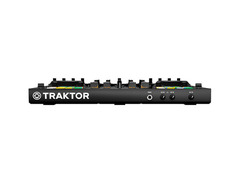
The Kontrol S4 has a pretty standard controller layout. There are four decks each with their own volume fader, cue button, filter, gain, and HI, MID, and LOW EQ knobs. When you use the S4 with the NI TRAKTOR Pro DJ software you will be able to utilize all four decks. This means you can have four tracks going at once if you so desire, or you can use one of the decks as a remix deck (which we’ll get to shortly). There are two jog wheels made with sturdy, aircraft-grade aluminum on either side of the central mixer. Both sides of the S4 have color-coded RGB buttons for hotcues, loops, and samples, as well as an FX bank. The S4 also has a cross fader and master volume knob, so it is similar to many standard club mixers. The S4 has been criticized by some for its “plastic-like feel.” We find the S4 to have a sturdy build, and while it is made out of plastic it’s sturdy, and definitely doesn’t feel “cheap.” The RGB pads are also made of a rubber that is satisfying to press. The LED lights look pretty cool, as well.

Standard inputs and outputs allow you to connect the S4 directly to a club sound system, hook up a microphone, or even connect turntables or CDJs. Did you learn on some Technics with vinyl but want to ease your way into the world of digital DJing? The S4, used with the TRAKTOR Pro digital vinyl system (DVS) and connected turntables, allows you to play vinyl and mp3 files at the same time! It should be noted that the S4 cannot be used as a standalone mixer, though - it must be connected to a computer to work.
Beginners love the S4 for its simplicity and range of capabilities. If you’ve never mixed a single track before, the S4 makes learning as easy as it can be. Because it’s mapped for use with TRAKTOR Pro it has an almost identical layout to the software. DJs can choose to use the jog wheels to practice beatmatching (lining up the beats of two different songs), which is an important skill if you ever want to play out in a club some day, or to use the SYNC button to focus on seamless mixing and EQing. TRAKTOR Pro software allows you set up to eight hotcues or loops per sample which are represented in the RGB buttons, blue for hotcues and green for loops. These buttons make live performance a breeze, as you can set cues in the software prior to your set to help with preparing the mix or remixing tracks live. If you use TRAKTOR Pro’s remix decks you can save a bank of up to 64 loops, samples, or one-shots to bring an added level of creativity to your set, all controlled by the color-coded RGB pads. The FX options give you you access to classic audio effects like delay and reverb as well as some custom ones designed by NI, such as “Mulholland Drive.”
If you’re using other DJ software, such as Serato, be prepared to make a software switch if you start using the Kontrol S4 MK2. Made specifically for use with TRAKTOR Pro, the S4 can be difficult to map to other DJ software, through its MIDI mode makes it easier to map to programs such as VirtualDJ. Like its little brother the S2, the S4 comes with the full version of NI TRAKTOR Pro 2 DJ software. If you want to hook up external hardware, such as MIDI controllers or live instruments, the inputs on the S4 allow you to easily incorporate extra gear. Often a dilemma for people interested in TRAKTOR, you may be considering if you should save a couple hundred dollars and get the smaller Kontrol S2 MK2 over the S4, and the decision here really depends on if you want the extra two decks. The S2 is also a fantastic DJ controller with great value for money, but if you want the extra decks for layering several tracks at once or for connecting extra gear the S4 is undoubtedly the right choice for a little more money.
Bottom Line: The Traktor Kontrol S4 is an excellent choice for beginning DJs, old school DJs who want to transition to digital DJing, or anyone who wants a great controller for bedroom practice, all the way to performing in huge clubs and on stages.
See how artists use this







Pioneer DDJ-SB2
4.5 (57)

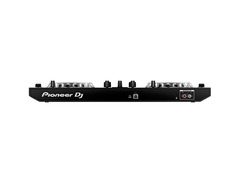


- Great for beginners, with features appealing to pros
- Compact and portable, easy to transport
- Good build quality and materials for durability
- Intuitive design and easy to learn
- See 3 more
- Comes with Serato DJ Intro, full version requires additional purchase
- Pads not rubber, may affect comfort during use
- Platters not the most responsive
- Lacks a digital screen for visual feedback
Software Compatibility: Serato, rekordbox
Bundled Software: Serato DJ Intro
Suitable for Skill Level: Beginner to Intermediate
There’s a lot to like about the Pioneer DDJ-SB2 DJ controller. It’s affordably priced, super portable, has all the functions essential to a performing DJ, seamlessly integrates with Serato software, and it’s constructed and backed by the Pioneer brand (a powerhouse in the DJ industry). While it’s considered more of an “entry-level” controller, it’s actually surprisingly packed with features that a more experienced DJ and controllerist would appreciate (especially considering its budget-friendly price tag).
So first, it’s important to understand that this controller is designed for maximum compatibility with the Serato ecosystem (and is branded as such). What this means for you is that when you plug it into your computer via USB and fire up Serato DJ software, it’s going to be mapped perfectly to the software and will just work. Because the DDJ-SB2 is priced on the lower end of the controller spectrum, you get Serato DJ Intro bundled with it, NOT the full-featured version of Serato DJ. This is good if you’re starting out and learning, but eventually you’ll want to upgrade to the full version. That’s not to say that you can’t use the DDJ-SB2 with the likes of TRAKTOR or Mixxx, but you’ll want to do a little searching on Google for pre-made mappings. Do your research here if you don’t plan on using Serato.
A quick word on using this controller with Mixxx: If you read our Best DJ Software article you saw we named Mixxx as the best value, since it’s 100% free. The DDJ-SB2 is supported by Mixxx (read about it on the Mixxx Wiki here), so using these two together makes for a VERY INEXPENSIVE way to get into DJing. However, be aware that the mapping is not 100% airtight, so make sure to read up on the details.
Okay, software compatibility aside, let’s talk about the controller itself. Considering that it hovers around the $250 mark, it’s really an impressive piece of gear. It’s very portable (19” wide and weighs 4.63 lb) and USB powered (meaning you don’t need to plug it in with a wall-wart power supply), and it boasts an impressive build quality, which isn’t surprising considering it’s a Pioneer product. It has a built-in sound card, so you can just connect the MASTER OUT RCA outputs to speakers or an amplifier. We would have preferred balanced XLR outputs, but it’s not a huge deal. You also get a headphones output with choice of 1/8” or 1/4” jack, and a 1/4” mic input.
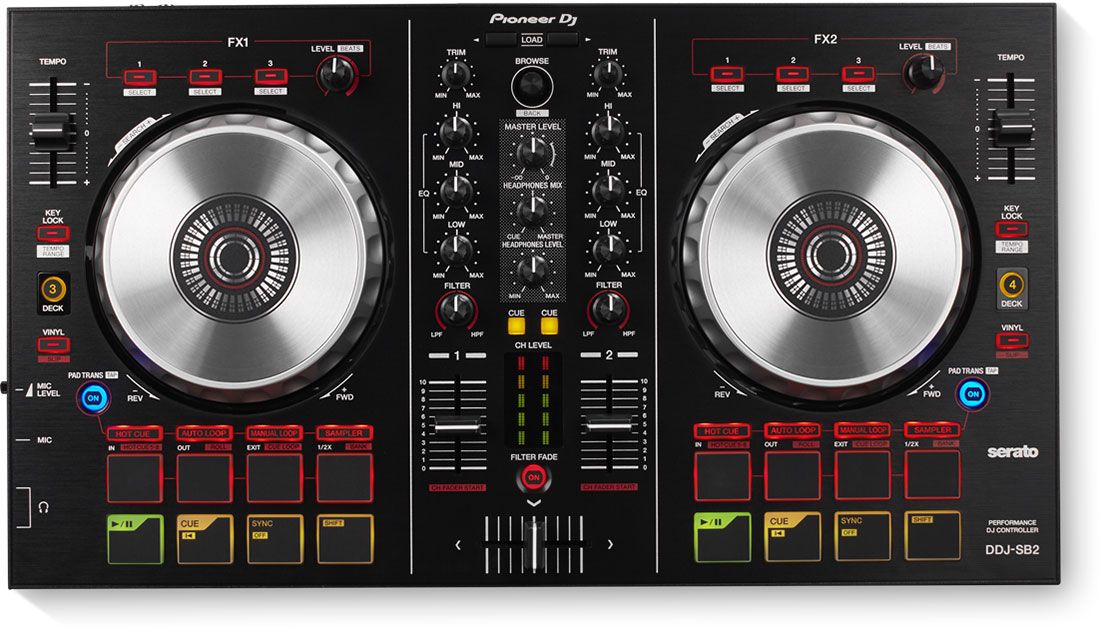
ThePioneer DDJ-SB2 can control all four Serato DJ decks. The left side can control deck 1 or 3, and the right side can control deck 2 or 4 (selectable by a button). You have a standard 2-channel mixer, performance pads, effects controls, and the list goes on. We won’t cover every single spec, since a lot of it is fairly obvious from looking at the front panel of the unit. Considering the low price point, it’s nice that you have trim pots and level meters for very accurate volume control. The jog wheels are large and outstanding, almost CDJ-quality (again, a perk of Pioneer’s experience). There’s nearly zero latency, so if your game is scratching, backspinning, and beat juggling, you’ll love the feel you get from them (they don’t light up like on Pioneer’s flagship DJ controllers, which isn’t a big deal).
There are couple of interesting extras here. There’s a Quantized Pad Trans beat effect, which lets you use the performance pads essentially as a volume gate in time with the beat. This lets you easily chop up your track in pretty interesting ways. There’s also Filter Fade, which adds high pass filters to the crossfader, so as you fade out of one track and into the other using the crossfader the bass cuts and then comes back in (which frees a hand up to do other things). These aren’t game changers by any means, but they can certainly spice things up.
Who else likes it? The DDJ-SB2 gets pretty high praise everywhere we look. For starters, it’s the #1 Best Seller in DJ Controllers on Amazon, with over 100 people rating it 4.5/5 stars on average. Digital DJ Tips also gives it 4.5 stars and calls it “the controller to beat in the sub-$250 range,” and DJ TechTools says that aside from some minor build quality issues, the DDJ-SB2 is “very much the king of the Serato DJ Intro controllers.”
Bottom Line: The remarkable thing about the Pioneer DDJ-SB2 is that it’s hard to find any outright fault with it. Is it the end-all, be-all controller? No. But it’s also nowhere near $1000. The DDJ-SB2 is a perfect way to get into DJing, especially if you’ve decided Serato is the DJ software for you. The jog wheels are also a standout feature here, and we’re impressed at how tight and responsive they are. Perhaps the ONE flaw is that Serato DJ Intro is included, so you’ll have to shell out a bit more cash for the full version. Still, for under $300, this is impressive. Check out Pioneer’s intro video for it to see it in action.
See how artists use this

.jpg)





Pioneer DDJ-SR Controller
4.5 (55)


- Ideal for creative studio work with its pad functionality
- Offers both simplicity and advanced features, catering to various skill levels
- Portable, lighter alternative to larger setups, making it suitable for gigs
- Professional results without the high cost of top-tier equipment
- See 4 more
- Not recommended as a first console due to missing features
- Lacks the flashy lights and aesthetic appeal of more expensive models
- Some users may find the two-channel limitation restrictive
Software Compatibility: Serato, rekordbox
Bundled Software: Serato DJ
Suitable for Skill Level: Beginner to Advanced
If you wanted to get your hands on Pioneer’s flagship all-in-one controller for Serato DJ, you’d want the DDJ-SX2. But as good as it is, it’s not portable, and costs around $1000. Luckily, for about half that price, you can get your hands on its very comparable little brother, the Pioneer DDJ-SR. Compared to the full-featured DDJ-SX2, the DDJ-SR is much more compact and portable, and because of its smaller footprint has a slightly smaller jog wheel and pads, and a 2-channel mixer as opposed to the SX2’s 4-channel mixer (luckily you can control all four of Serato’s decks from the DDJ-SR with the push of a button). The DDJ-SR is on the upper end of our $600 price limit, but it’s one of the best Serato controllers around. It’s packed with features, built well, and truly plug-and-play (provided you are indeed planning to use it with Serato).
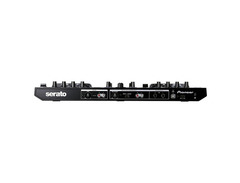
One good reason to go with Pioneer controllers is that they have a premium feel, and the DDJ-SR is no exception. This unit has an excellent build quality, and definitely feels like it could take some abuse. It has an aluminum top, and plastic sides/bottom, all of which makes the unit feel very substantial. The pads, knobs, and sliders also all feel really great. While the cross fader is non-user replaceable, it feels very smooth and has a low cutting distance, making it ideal for scratching. The DDJ-SR is fully USB bus powered, meaning you don’t need to worry about a separate power supply; simply connect it to your laptop to fire it up, which is fantastic for portability. On the front panel of the unit you have a 1/4” and 1/8” headphones jack with level knob, a switch to reverse your cross fader and a knob to adjust cross fader curve, and a 1/4” mic input (again with a level knob). On the back you have AUX IN RCA inputs with level control (great for plugging in a backup source of music), 1/4” L and R master outputs, and a secondary master output which is switchable to BOOTH, with its own BOOTH LEVEL knob. In terms of I/O that’s a lot of flexibility, and we can’t really think of much more a performing DJ would need.
In terms of functionality, the DDJ-SR sits between the more entry-level Pioneer DDJ-SB2, and the flagship DDJ-SX2. A premium, but mid-level DJ controller is a good way to think about this unit. One really great thing is that it comes with the full Serato DJ software, so it’s truly plug-and-play when you get it. We do recommend installing the latest firmware from the Pioneer Website before you start using it, as it will fix some glitches that have plagued some users.
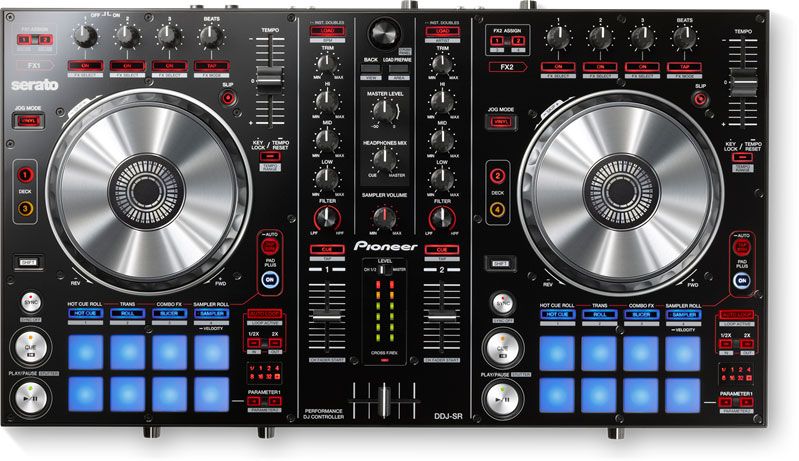
Looking at the front panel, you can see it’s a 2-deck, 2-channel mixer layout. However, using the DECK buttons you can control all four decks in Serato (the left side controls either Serato deck 1 or 3, and the right side controls deck 2 or 4). The mixing console in the center of the DDJ-SR has all the features you would expect; as we mentioned the cross fader feels and works well, each channel has a 3-band EQ with TRIM controls at the top, and navigation buttons to get around in Serato, load tracks to decks, and change around your views within the software. The jog wheels feel great with their aluminum top, though they are slightly smaller than the ones from the DDJ-SX2. Still, they are quick and responsive, and their resolution in Serato feels fantastic - scratching is definitely encouraged here. Above the jog wheels is the effects section (as is tradition with these all-in-one controllers). The TEMPO adjustment sliders are a bit short when compared to a vinyl turntable or a CDJ, but that’s only a minor annoyance. Below the jog wheels you have eight pads on each side. The pads are intuitive and really full featured, used to control things like HOT CUES, ROLLS, SLICER, and SAMPLES, for slicing up and retriggering your beats. PAD PLUS mode gives all the pads a second effect. The Pioneer DDJ-SR actually has a bit of a learning curve because of all that it can do, especially considering that the SHIFT button essentially makes every knob, button, and pad practically perform two functions.
The Pioneer DDJ-SR comes up quite a bit in forum discussions (which is exactly what made us take a closer look at it). At its price point, a close competitor is the Native Instruments Traktor Kontrol S4 MK2 controller. You might be thinking: Isn’t the S4 a controller for TRAKTOR, and not Serato? You would be correct, yet people like the premium quality of the DDJ-SR so much, that they are often curious how it fares when NOT used with Serato. The verdict is that the DDJ-SR is absolutely usable with the likes of TRAKTOR. Mappings are out there for you to download, and even if you want to do it yourself, it’s the type of thing you spend some time on once and don’t really need to do again. Where you’ll have to compromise is the resolution of the jog wheel. You’ll tend to get the tightest jog wheel control if you use your controller with the software it’s originally designed for. This won’t affect those DJs that strictly want to mix tracks in and out; It’s more of a concern for DJs that do scratching, where the resolution of the jog wheel really matters.
Bottom Line: With this controller, Pioneer hits a perfect combo between the more beginner DDJ-SB2, and the more advanced DDJ-SX2. We love the DDJ-SR, since it’s nearly as powerful as the SX2 but with a ton more portability. Especially if you’re using Serato DJ, you’ll have a fantastic and seamless experience with the DDJ-SR, no matter what music you mix and what type of DJ you are. This controller just feel incredibly nice and polished, and while the price is certainly not low, it’s justified for this quality.
See how artists use this




Numark MixTrack Pro 3 DJ Controller
4.5 (22)


- Works with VDJ, Serato, FL Studio 10-12, and Ableton
- Solid, small, and sturdy build
- Feels and looks more expensive than it is
- Affordable, making it great for beginners
- See 2 more
- Some may use it only as spare encoders, not fully utilizing its DJ capabilities
Software Compatibility: Serato
Bundled Software: Serato DJ Intro
Suitable for Skill Level: Beginner to Intermediate
If you’re looking at a budget-friendly controller for Serato in the beginner to intermediate range, before fully committing to the Pioneer DDJ-SB2, you’ll want to take a look at the Numark Mixtrack Pro 3. Before we get on with the review, an important distinction when considering this controller is to make sure you’re looking at the version with Pro in the name; Numark also makes the Mixtrack 3 controller, with the difference being the non-Pro version does not have a built-in sound card. So if you want the ability to preview your next track in your headphones (which most DJs find useful) you’ll need to make sure you get the Mixtrack Pro 3.
The Mixtrack Pro 3 is fantastic entry level controller for aspiring DJs, and for more advanced DJs it offers great portability and can serve as a very solid backup. It gives you access to all the basics needed for a the common 2-deck setup. This is by no means an exhaustive list, but just to give you an idea of the impressive amount of features you get: cross fader, volume fader for both decks, pitch fader for each channel, up/down pitch bend buttons for each channel, high+mid+low filter as well as low/high pass filter for each channel, master gain knob, headphone cue and cue gain knobs, headphone buttons for each channel allowing you to cue/preview your next track, 3.5mm headphone jack, a browse knob for easy access to your tracks along with a button to load a track on either deck, solid metal jog wheels for each channel, a wheel button for each jog wheel allowing you to turn them on/off, 16 multi-function performance pads, shift button for each channel, play and cue buttons for each channel, and access to 3 effects buttons and a haptic strip for your effects. All of this comes in a compact 21.6” controller that only weighs a few pounds. One thing users particularly like are the Mixtrack Pro’s long-throw pitch faders, like you’d find on a Pioneer CDJ or actual turntable, which is great for DJs who want to mix themselves and avoid using sync.

A great aspect of the Mixtrack Pro 3 is being powered via USB which means not having to worry about being connected to an external power supply. The solid metal 5-inch jog wheels are a real treat as well since most of the entry level controllers (and even several of the pricier ones) have plastic jog wheels that don’t have the same meatiness that you get with metal jog wheels. Having that added bit of weight really makes a difference when doing slight bump adjustments in the mix. The 16 multi-function pads also add a large amount of variety to your performance if you utilize them.
As with most DJ controllers, the Mixtrack Pro 3 is not without a few drawbacks. The only output is a left/right channel RCA which means if you want a booth monitor while you’re spinning you need to have a splitter. Also being RCA the signal is not balanced, but that is an easy fix by just making sure you have an RCA to 1/4” cable with your gear. Other than that, there really aren’t too many features that you are missing out on when compared to some of the more expensive controllers out there, and diving into MIDI functionality to customize it exactly the way you want it essentially makes that a moot point. Another minor drawback is that, like the Pioneer DDJ-SB2, the Mixtrack Pro 3 does not come with a full version of the Serato software, so to get the most out of it you’ll need to purchase the full version (make sure you budget an extra $100 or so for that). You can also use this controller with TRAKTOR, VirtualDJ, Mixxx, or any other DJ software if you’re so inclined by either downloading a mapping for it or making your own.
Bottom Line: This is a solid controller for anyone that isn’t looking to spend more than a couple hundred dollars on a DJ controller, but also wants access to more than just the absolute basics. You get a lot of bang for your buck here. The Numark Mixtrack Pro 3 is perfect if you’re a beginner DJ (particularly if you’re looking to use Serato), since it has everything you could want to get started, and some. For the working or pro DJ it makes for a great backup or small gig controller mostly because of how extremely portable it is and the nice build quality.
One big question remains: Numark Mixtrack Pro 3, or the Pioneer DDJ-SB2? There’s no 100% clear answer, as both are very solid choices. Some DJs buy into the Pioneer brand, mostly because it’s more “industry standard” and smaller Pioneer controllers can be thought of as a gateway to eventually learning to use Pioneer CDJs and DJM mixers (to be honest this isn’t a great argument, since every fundamental you’ll need for CDJs you can learn with any all-in-one controller). A small advantage of the DDJ-SB2 over the Mixtrack is that the SB2 has trim knobs. Then again, the pitch sliders are superior on the Mixtrack Pro 3. These two controllers are pretty evenly matched, making it impossible to recommend one over the other with certainty. Trust your gut on whether Numark or Pioneer speaks more to you as a brand, and which of the two looks more inspiring to play with. Watch Numark’s Mixtrack Pro 3 tutorial/walkthrough video to see what you think:


Top Ranked DJ Controllers on Equipboard


$217.28 - $386.00
4.5 (77)
4.5 (77)


$152.00 - $225.00
4.5 (91)
4.5 (91)

About the authors
Michael R. Pierce is the co-founder of Equipboard and a lifelong musician with over 25 years of experience as a guitarist and gear enthusiast. He blends solid music theory chops (thanks to formal training in guitar, piano, and trumpet) with real-world experience, always exploring and experimenting across genres like rock, blues, and hip-hop. Michael launched Equipboard in 2013 after graduating from The University of Texas at Austin, leveraging his unique blend of musical passion, technological acumen, and community building. His current go-to rig features a Fender American Original ‘50s Telecaster, Analogman King of Tone, Strymon Flint, and a Fender ‘57 Custom Champ. Read more
Giulio Chiarenza is the co-founder of Equipboard and a lifelong multi-instrumentalist with a deep passion for music gear. Born in Italy and raised in the U.S., he holds a Computer Science degree from The University of Texas at Austin and blends technical acumen with decades of hands-on experience across guitar, piano, drums, and electronic production. Early in his career, Giulio was signed to a San Francisco-based EDM label, releasing both remixes and original tracks. These days, he helps steer Equipboard’s vision while personally testing and reviewing gear. He's never too far from his go-to guitar: a vintage 1978 Fender Telecaster Custom. Read more
Comments
Sign Up or Log In to add comments

Did you guys really copy and paste that comment from Quora for the start of your article? Lol.
Anyways........that's definitely not true, buying a guitar has a TON of factors that go into it, anyways good article I guess lol.....maybe you should compare it to something else
.jpg?v=1779445134)
37452
@cameron_lee_ratcliff As a guitar player myself I agree with you, buying a new guitar is - or can be - complicated. BUT if I was an total beginner, never having picked up a guitar, whether you handed me a Squier or an Epiphone I could just plug into an amp or get going. I wouldn't have to think, "Oh wait is this guitar compatible with certain pedals or amps?" Whereas with DJ controllers, they are oftentimes married to software. So it behooves you to know a little about whether you want to get into the Traktor world, Serato, or something else before you go shopping for controllers. I hope that makes more sense!
Also no idea what you're talking about with the Quora thing - are you saying it was a silly comparison to make, like something that would be found on Quora? :-D
New in DJ Controllers


$1,352.60 - $2,499.00
in DJ Controllers Rank

$329.00
in DJ Controllers Rank

$339.00 - $449.00
in DJ Controllers Rank


$2,999.00 - $6,299.00


$1,499.00 - $1,849.00
in DJ Controllers Rank


$1,958.00 - $1,999.00