


Pricing and availability
We compare 600+ stores and found this item at 1 store. Prices updated .


Price History
Based on price data from 1 merchant for "Audacity". Prices shown reflect NEW condition. Tracking began May 11, 2026.
* Product prices and availability are updated by Equipboard every 24hrs and are subject to change. Equipboard may receive compensation for purchases made at participating retailers linked on this site. This compensation does not affect what products or prices are displayed, or the order of prices listed. For more information, please refer to our affiliate disclosure.
Description
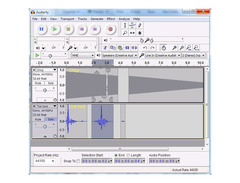
Audacity is your gateway to a world of sound possibilities, offering a robust and user-friendly platform for audio editing and recording. Renowned for its free and open-source nature, Audacity caters to musicians, podcasters, and sound engineers alike, providing a versatile toolset that spans across Windows, macOS, and GNU/Linux. Whether you're capturing live performances or digitizing old tapes, Audacity's multi-track recording capabilities ensure you get the best out of your audio projects.
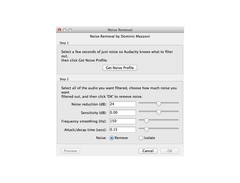
Dive into its intuitive interface, where editing is a breeze with features like cut, copy, and paste, supported by an unlimited undo history to ensure your creative flow remains uninterrupted. Audacity supports a plethora of file formats, allowing seamless import and export, including the likes of WAV, MP3, and FLAC. Expand your sonic palette with a variety of built-in effects and plugin support, covering LADSPA, VST, and more, or even create custom effects using the Nyquist programming language.
For those who demand precision, Audacity offers high-quality resampling, dithering, and the ability to handle sample rates up to 384,000 Hz on supported devices. With robust analysis tools like spectrogram view and contrast analysis, you can delve into the intricacies of your audio with confidence.
Key Features:
- Free, open-source, and cross-platform software
- Multi-track recording and editing
- Supports WAV, AIFF, MP3, FLAC, and more
- Real-time effects preview with plugin support
- High-quality audio resolution up to 384,000 Hz
- Intuitive editing tools, including cut, copy, paste, and unlimited undo
- Extensive plugin support: LADSPA, LV2, VST, and Audio Unit
- Comprehensive analysis tools and spectrogram view
- Runs on Windows, macOS, and GNU/Linux
- Accessible interface with keyboard shortcuts and screen reader support
Product specs
| Operating Systems | Mac, Windows |
| Downloadable | free |
Videos

Kevin Stratvert
🔊 How to use Audacity to Record & Edit Audio | Beginners Tutorial
🔊 How to use Audacity to Record & Edit Audio | Beginners Tutorial
Kevin Stratvert

How To Make ANY Mic Sound PROFESSIONAL (Audacity)

wrxomg
Audacity Tutorial: Einstieg, einfache Aufnahme und Nachbearbeitung

Andreas Kalt – Erklärvideos

Audacity Tutorial For Beginners

Mike Russell
Audacity 3.6 Out Now! New Effects & New Master Channel!

Audacity
![Video thumbnail for Audacity - Tutorial for Beginners in 11 MINUTES! [ UPDATED ] by Skills Factory](https://img.youtube.com/vi/l2hidKKWGPU/mqdefault.jpg)
Audacity - Tutorial for Beginners in 11 MINUTES! [ UPDATED ]

Skills Factory
Reviews
PROS
-
Free and open-source, making it accessible to everyone
-
Supports a wide range of VST plugins and third-party tools
-
Effective for basic recording, editing, and sample manipulation
-
Lightweight, does not heavily tax system resources
-
Simple interface suitable for beginners
-
Offers spectral editing and mastering capabilities
-
Great for quick audio sampling and conversions
-
Allows monitoring of input levels before recording
-
Extensive community support and plugin availability
-
Perfect for analyzing and cleaning up recordings
CONS
-
Prone to crashing, especially with certain plugins
-
Limited for complex music production compared to professional DAWs
-
Does not natively support MIDI; requires additional setup
-
Interface can be perceived as outdated or counter-intuitive
-
Risk of data loss if project files and data folders are mishandled
Owner Insights
We analyzed real musician discussions from forums and Reddit to find what players love, question, and tweak about Audacity.
Features and functionality
-
Audacity allows importing corrupted audio files as raw data, which can be useful for recovering unusable files.
Source -
Audacity's loopback recording feature is used to capture desktop audio, which some users find useful for grabbing samples.
Source -
Audacity offers batch processing capabilities, making it efficient for handling multiple audio files at once.
Source -
Audacity's Ctrl-M function allows users to mark specific sections during recording for later use, making it easier to create promotional snippets or plan future content.
Source -
Audacity works internally in 32-bit floating-point, providing superior audio processing power compared to standard phone recording apps or basic Windows applications.
Source -
Audacity does not support real-time plugin processing, requiring users to wait for rendering, which limits its efficiency for complex projects.
Source
User experience
-
Some users appreciate Audacity's ability to quickly trim silences from the beginning and end of audio files and convert between formats.
Source
Use cases and applications
-
Audacity is noted for being effective in editing podcasts, especially in environments with background noise, using tools like previewing in and out points with the B key.
Source -
Audacity is favored for its ability to record and post-process audio in the same platform, eliminating the need to switch between different software for simple recording tasks.
Source -
The software is particularly appreciated for its ability to handle both single and multiple track recordings quickly, making it ideal for simpler projects that don't require a full DAW.
Source -
Audacity is commonly used for ripping vinyl, leveraging its robust editing and processing capabilities for converting analog recordings to digital formats.
Source -
Audacity remains useful for simple edits and recordings, especially when ease of use is prioritized over extensive DAW features.
Source
Software and compatibility
-
The data collection in Audacity is opt-in by default, focusing on telemetry for improving software performance, and can be manually checked to ensure it's off.
Source -
Audacity's lack of virtual instruments out of the box can be a limitation, as users must find third-party solutions for synthetic sounds.
Source
Comparisons
-
Audacity is compared to a notepad for quick drafts, lacking depth for professional music mixing compared to full DAWs like Reaper.
Source -
Audacity's audio editing capabilities are likened to MS Paint's simplicity, contrasting with more complex software like Reaper that offers comprehensive tools with fewer steps.
Source
Critic Reviews
4.0 out of 5
Based on 70 Reviews and 289 Ratings
My primary editor
I really like to use Audacity as an external editor in Reaper mainly for cleaning up recordings or restoration purposes. The spectral editing is simple (compared to Sony Sound Forge) but effective for enhancing or equalizing parts of the spectrum. I also do the last steps of mastering with it. The sound of the tools is good. But a bummer for me is that the settings (of tools/plugins) cannot be changed while listening.
The upcoming version 4 (early 2026) looks very promising.

344
Happy with it
For all of it's flaws, it still holds up well. It is a bit tacky at times and prone to crashing, but in my honest opinion, you can never expect everything to go down smoothly, especially if we're talking about a computer software.

10745
Great freeware DAW, but caution when renaming your project!
I've been a long-time user of Audacity, and it hasn't been until now that I've started to take advantage of the third party VST's such as Rosen Digital cabinet IR's, LePou amp sims, Variety of Sound and Kjerhaus plugins. The DAW functions great for a freeware VST - you can actually monitor your input level before you hit record, and it also allows you to create click tracks right on the get-go.
However, a word of caution - if you save the project by the Audacity file, then there is a data folder that will be created in the same location as the project file you've saved. This data folder contains all the progress that you've made on your recording project, and if you rename the project file, delete the data folder or locate either the project file or data folder (not both!) to someplace else, then the next time you open that project file, you'll be hit with an error message and lose all your data on it.
If you intend on backing up your project, make sure you copy BOTH the data folder AND the project file at the same time. If you don't, you'll be looking forward to hours upon hours of re-doing all the precious takes you've made so far.
But if you're the kind of person who is into serious recording and you don't have the budget to stretch for a Cockos Reaper DAW, give Audacity a serious look. It'll be a great freeware DAW to help you get started as a recording engineer.

40958
okay okay okay
This is a really simple, bare bones, FREE multitracking program with solid editing features... I have it, sometimes its nice to do simple work in a simple environment. Its also not much of a CPU or RAM hog for slow systems.

240
Good to know! I will have to give it a try.

109
I record the audio of myself and my guest for my podcast using Audacity. It really doesn't get much simpler! Nice software for sure, especially for free.
40958
I really got into using it for acoustic/voice demoing anda gear demo I put on youtube... got the job done with NO fussing around
109
exactly, no fuss!

5454
100%

105
the true enemy of originality
once upon a time the audacity team saw the midi file format and decided instead of making a sequencer, they should just make their software show you what a midi file looks like instead. basically all you can do is import files, do some sick tricks, and spit it back out as a wave file. what's that? you want mp3 export? you have to download a library manually. it's like installing a vst plugin but a few thousand times more painful.

6893
A nice little noise generator.
I used to use this just for recording my vocals, as well as converting my .wav files to MP3. Recently, I learned about importing raw data, and I've been able to make some great glitch sounds, and even some sounds for noise music. Try it sometime if you're into those kind of sounds.

296
Robust but not at all beginner friendly
I have only limited experience with Audacity and it was a fucking nightmare to use, there are like 100s of options and they apparently do something but you can't actually tell. Besides that it felt very accurate but I remember having a bit of trouble because it didn't let you zoom in that much, maybe that has since been fixed. Either way I highly recommend it for mixing music

209
Great. Not for music production (my fault)
I tried to use this for music production, BAD IDEA. Great for simple audio recording and analysis.
Bottom line: I recommend for starting out with audio recording.
.jpg?v=1773800267)
1558
Easy to use and always trusty
The main software for recording that i use when i play my music through my Zoom G3,really to use and i love the interface on it,i can create multiple layers for a song and never fails me,and to be honest for me this one kills the other DAW.

454
Very simple and powerful
I know this is primarily a music website, but I feel the need to point out this software. I used to use it for recording my vocals, and then I would export them into Fruity Loops. However, now my vocals are recorded in Fruity Loops itself. However, I still find use in Audacity, just not for my music. I often use it for recording my lines when I do my voice acting, and adding various effects before I export it into Cool Edit Pro for editing. So, yes, this is very good for audio editing and recording, but not really that much else.
Artist usage
Add artist
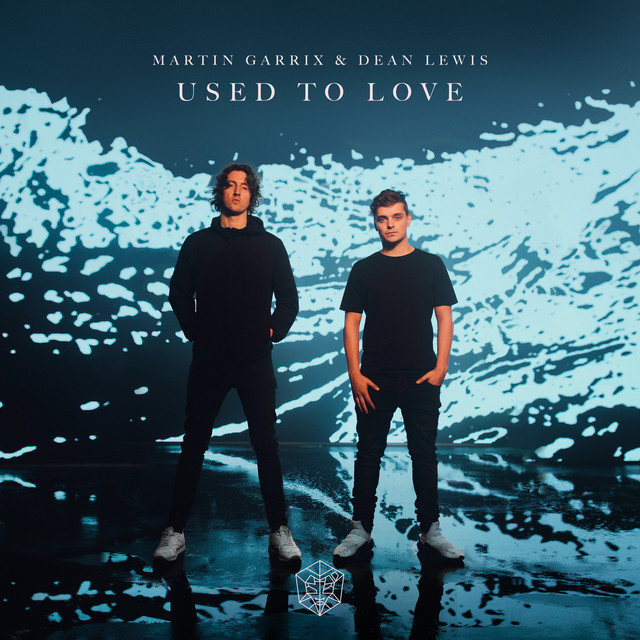
At 8:38 in the video "HOW WE MADE 'USED TO LOVE' | The Martin Garrix Show S4.E4" on YouTube, it is visible that Audacity is pinned on Martin Garrix's laptop taskbar, confirming his use of the software.


At 20:40 in this video, deadmau5 mentions how he prefers to resample in Audacity.


David Guetta utilizes Audacity during his concerts, as showcased on SoundCloud.


In their MusicRadar interview, Nik, when asked what software other than Cubase he uses says: "Most of it happens inside Cubase. Outside of that, there isn't that much, other than Audacity to grab some stuff or PaulStretch for time-stretching things."

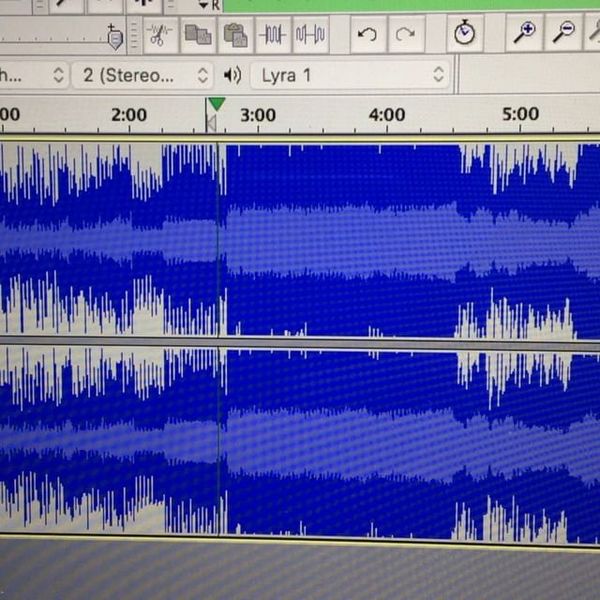

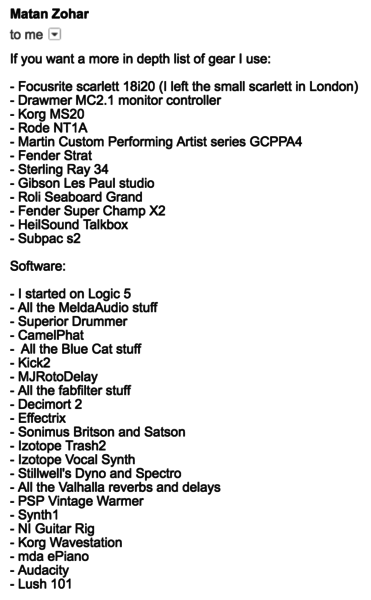
Mat Zo includes Audacity in the list of software and hardware that he uses in the studio (source is an email exchange with Mat Zo from Feb 2017).


At 0:20 the icon for Audacity can be seen in the top left corner of his background.


In this article Will Toledo talks about going from Audacity to Garage band and then finally Logic.



Toby Fox describes using Audacity to stitch several parts of a song together.
.jpg?v=1779672964)

Vessel uses Audacity as seen in the image provided on Equipboard.


Album Usage
The Audacity has been featured on the following albums:
Genre Usage
Based on how artists on Equipboard use this gear, it is most commonly found in the following genres.
Used With
Based on how musicians on Equipboard use Audacity, it is most commonly used with the following gear.






Community setups
Show yours


More DAW Software

$225.00 - $599.00
in DAW Software Rank


$275.00 - $439.00
in DAW Software Rank


$139.99
in DAW Software Rank
.jpg?v=1779078215)

-m.webp?v=1779606566)
$99.99 - $344.00
in DAW Software Rank


$99.00 - $399.99
in DAW Software Rank


$478.00 - $519.00
in DAW Software Rank

$179.00
in DAW Software Rank


-m.webp?v=1779184832)
$409.00 - $499.00
in DAW Software Rank


$119.00 - $299.00
in DAW Software Rank


$209.00 - $329.99
in DAW Software Rank


$199.00
in DAW Software Rank


$0.00
in DAW Software Rank


$529.00 - $579.99
in DAW Software Rank


$75.00
in DAW Software Rank


$129.00 - $195.00
in DAW Software Rank

$449.00 - $489.00
in DAW Software Rank


$499.00 - $795.00
in DAW Software Rank


$176.00 - $249.00
in DAW Software Rank


$136.00 - $179.00
in DAW Software Rank


$139.99 - $199.99
in DAW Software Rank

$245.00 - $295.00
in DAW Software Rank


$149.00 - $201.00
in DAW Software Rank

$366.00 - $579.99
in DAW Software Rank


$579.99
in DAW Software Rank


$405.99
in DAW Software Rank


$375.00 - $399.95
in DAW Software Rank
Similar


Gear Guides









Most Popular Brands
-
Added to Equipboard on by
RreverendentityGear IQ 463
-

