
TiVo Stream 4K – Every Streaming App and Live TV on One Screen – 4K UHD, Dolby Vision HDR and Dolby Atmos Sound – Powered by Android TV – Plug-In Smart TV, One size
Purchase options and add-ons
Monthly protection plan removed
Add to your order
-
Coverage for accidental damage including drops, spills, and broken parts, as well as breakdowns (plans vary) -
24/7 support when you need it -
Quick, easy, and frustration-free claims
2-Year Protection Plan
- No Additional Cost: You pay nothing for repairs – parts, labor, and shipping included.
- Coverage: Plan starts on the date of purchase. Malfunctions covered after the manufacturer's warranty. Power surges covered from day one. Real experts are available 24/7 to help with set-up, connectivity issues, troubleshooting and much more.
- Easy Claims Process: File a claim anytime online or by phone. Most claims approved within minutes. We will send you an e-gift card for the purchase price of your covered product. In some instances, we will replace or repair it.
- Product Eligibility: Plan must be purchased with a product or within 30 days of the product purchase. Pre-existing conditions are not covered.
- Terms & Details: More information about this protection plan is available within the “Product guides and documents” section. Simply click “User Guide” for more info. Terms & Conditions will be available in Your Orders on Amazon. Asurion will also email your plan confirmation with Terms & Conditions to the address associated with your Amazon account within 24 hours of purchase.
3-Year Protection Plan
- No Additional Cost: You pay nothing for repairs – parts, labor, and shipping included.
- Coverage: Plan starts on the date of purchase. Malfunctions covered after the manufacturer's warranty. Power surges covered from day one. Real experts are available 24/7 to help with set-up, connectivity issues, troubleshooting and much more.
- Easy Claims Process: File a claim anytime online or by phone. Most claims approved within minutes. We will send you an e-gift card for the purchase price of your covered product. In some instances, we will replace or repair it.
- Product Eligibility: Plan must be purchased with a product or within 30 days of the product purchase. Pre-existing conditions are not covered.
- Terms & Details: More information about this protection plan is available within the “Product guides and documents” section. Simply click “User Guide” for more info. Terms & Conditions will be available in Your Orders on Amazon. Asurion will also email your plan confirmation with Terms & Conditions to the address associated with your Amazon account within 24 hours of purchase.
Complete Protect: One plan covers all eligible past and future purchases (Best Value)
- BEST VALUE: Protect all your eligible Amazon purchases including: tech, tools, appliances, furniture and more. All for one low monthly price.
- PAST AND FUTURE PROTECTION: Covers malfunctions and failures, plus drops or spills for eligible portable items. Protection begins immediately for eligible purchases from the past 90 days, plus all eligible future purchases (products used commercially are excluded).
- TRUSTED CYBERSECURITY: Digital security with scam detection for emails and texts.
- EASY CLAIMS: File in minutes at www.asurion.com/amazon for fast repair or reimbursement - up to the purchase price.
- NO HIDDEN FEES. CANCEL ANYTIME: Up to $5,000 in total claims per 12-month period. Your plan renews monthly until canceled (coupons applied at checkout don’t renew monthly).
Add to your order
-
Coverage for accidental damage including drops, spills, and broken parts, as well as breakdowns (plans vary) -
24/7 support when you need it -
Quick, easy, and frustration-free claims
Product Protection by Asurion, LLC
- No Additional Cost: You pay nothing for repairs – parts, labor, and shipping included.
- Coverage: Plan starts on the date of purchase. Malfunctions covered after the manufacturer's warranty. Power surges covered from day one. Real experts are available 24/7 to help with set-up, connectivity issues, troubleshooting and much more.
- Easy Claims Process: File a claim anytime online or by phone. Most claims approved within minutes. We will send you an e-gift card for the purchase price of your covered product. In some instances, we will replace or repair it.
- Product Eligibility: Plan must be purchased with a product or within 30 days of the product purchase. Pre-existing conditions are not covered.
- Terms & Details: More information about this protection plan is available within the “Product guides and documents” section. Simply click “User Guide” for more info. Terms & Conditions will be available in Your Orders on Amazon. Asurion will also email your plan confirmation with Terms & Conditions to the address associated with your Amazon account within 24 hours of purchase.
Product Protection by Asurion, LLC
- No Additional Cost: You pay nothing for repairs – parts, labor, and shipping included.
- Coverage: Plan starts on the date of purchase. Malfunctions covered after the manufacturer's warranty. Power surges covered from day one. Real experts are available 24/7 to help with set-up, connectivity issues, troubleshooting and much more.
- Easy Claims Process: File a claim anytime online or by phone. Most claims approved within minutes. We will send you an e-gift card for the purchase price of your covered product. In some instances, we will replace or repair it.
- Product Eligibility: Plan must be purchased with a product or within 30 days of the product purchase. Pre-existing conditions are not covered.
- Terms & Details: More information about this protection plan is available within the “Product guides and documents” section. Simply click “User Guide” for more info. Terms & Conditions will be available in Your Orders on Amazon. Asurion will also email your plan confirmation with Terms & Conditions to the address associated with your Amazon account within 24 hours of purchase.
Product Protection by Asurion, LLC
- BEST VALUE: Protect all your eligible Amazon purchases including: tech, tools, appliances, furniture and more. All for one low monthly price.
- PAST AND FUTURE PROTECTION: Covers malfunctions and failures, plus drops or spills for eligible portable items. Protection begins immediately for eligible purchases from the past 90 days, plus all eligible future purchases (products used commercially are excluded).
- TRUSTED CYBERSECURITY: Digital security with scam detection for emails and texts.
- EASY CLAIMS: File in minutes at www.asurion.com/amazon for fast repair or reimbursement - up to the purchase price.
- NO HIDDEN FEES. CANCEL ANYTIME: Up to $5,000 in total claims per 12-month period. Your plan renews monthly until canceled (coupons applied at checkout don’t renew monthly).
Product Protection by Asurion, LLC
- No Additional Cost: You pay nothing for repairs – parts, labor, and shipping included.
- Coverage: Plan starts on the date of purchase. Malfunctions covered after the manufacturer's warranty. Power surges covered from day one. Real experts are available 24/7 to help with set-up, connectivity issues, troubleshooting and much more.
- Easy Claims Process: File a claim anytime online or by phone. Most claims approved within minutes. We will send you an e-gift card for the purchase price of your covered product. In some instances, we will replace or repair it.
- Product Eligibility: Plan must be purchased with a product or within 30 days of the product purchase. Pre-existing conditions are not covered.
- Terms & Details: More information about this protection plan is available within the “Product guides and documents” section. Simply click “User Guide” for more info. Terms & Conditions will be available in Your Orders on Amazon. Asurion will also email your plan confirmation with Terms & Conditions to the address associated with your Amazon account within 24 hours of purchase.
2-Year Protection Plan
- No Additional Cost: You pay nothing for repairs – parts, labor, and shipping included.
- Coverage: Plan starts on the date of purchase. Malfunctions covered after the manufacturer's warranty. Power surges covered from day one. Real experts are available 24/7 to help with set-up, connectivity issues, troubleshooting and much more.
- Easy Claims Process: File a claim anytime online or by phone. Most claims approved within minutes. We will send you an e-gift card for the purchase price of your covered product. In some instances, we will replace or repair it.
- Product Eligibility: Plan must be purchased with a product or within 30 days of the product purchase. Pre-existing conditions are not covered.
- Terms & Details: More information about this protection plan is available within the “Product guides and documents” section. Simply click “User Guide” for more info. Terms & Conditions will be available in Your Orders on Amazon. Asurion will also email your plan confirmation with Terms & Conditions to the address associated with your Amazon account within 24 hours of purchase.
Added to Cart
Not Added
Item is in your Cart
Not Added
Frequently bought together

Product details
Top highlights
- BrandTiVo
- Connectivity TechnologyWi-Fi
- Connector TypeHDMI
- Special FeatureAndroid Phone Control
- Resolution4k
- Supported Internet ServicesNetflix, Disney +, Sling, Prime Video, HBO Max, Peacock, and thousands more on the Google Play store.See moreSupported Internet Services
Netflix, Disney +, Sling, Prime Video, HBO Max, Peacock, and thousands more on the Google Play store.
- No More App-Switching. Forget learning to navigate a new screen with every app. TiVo Stream 4K enables one centralized place for searching, browsing, and creating watch lists across all your apps..DC Input Range 5V/1.0A. Power Consumption : Maximum 5 W
- Recommendations Across All of Your Apps: Get rid of the walls between what you watch. TiVo recommends your next favorite shows and movies based on what you love, not where they live.
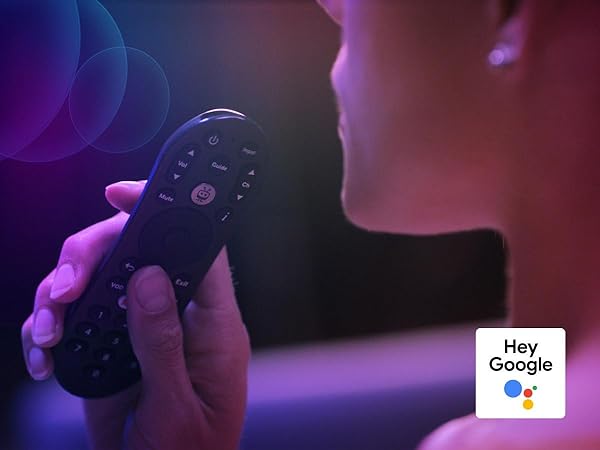
- Say it and watch it. The power of voice control makes it easy to find shows. Integrated Google Assistant allows you to launch apps, dim the lights and more.
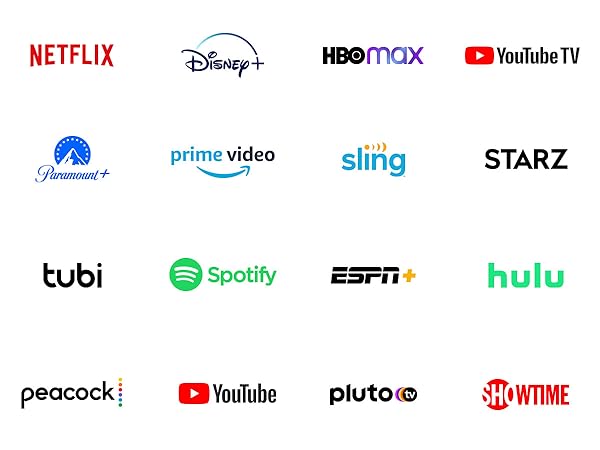
- One place for all your favorite streaming apps. TiVo Stream 4K includes Netflix, Prime Video, Disney+, Peacock plus many more, so you can get to your shows fast.
- TiVo Stream 4K is one of Time Magazine’s “2020 Best Inventions, Special Mention” and PCMag hails it as “an excellent media streamer for TV lovers.” Operating Temperature 0˚C - 40˚C
Product specifications
| Connectivity Technology | Wi-Fi |
|---|---|
| Connector Type | HDMI |
| Other Special Features of the Product | Android Phone Control |
| Resolution | 4k |
| Supported Internet Services | Netflix, Disney +, Sling, Prime Video, HBO Max, Peacock, and thousands more on the Google Play store. |
| Controller Type | android, google_assistant, ios |
| Form Factor | TV Stick |
| RAM Memory Installed | 2 GB |
| Compatible Devices | Television |
| Memory Storage Capacity | 8 GB |
| Video Output Resolution | 4K Pixels |
| Video Codec | VP9 Profile 2 |
| Smart Home Compatibility | Smart Home Compatible |
| Brand | TiVo |
|---|---|
| Model Number | RA2400 |
| Model Name | TiVo Stream 4K |
| UPC | 850013114054 |
| Global Trade Identification Number | 00850013114054 |
| Mfr Part Number | RA2400 |
| Manufacturer | TiVo |
| Unit Count | 1.0 Count |
| Item Type Name | Streaming Media Player |
| Built-In Media | Remote, Micro USB charger |
| Warranty Description | 90 days |
| Best Sellers Rank |
|
| ASIN | B089655HQV |
| Customer Reviews | 4.3 out of 5 stars 9,832Reviews |
| Color | Black |
|---|
| Item Dimensions L x W x H | 3.03"L x 2.09"W x 0.63"H |
|---|
Warranty & Support
Videos
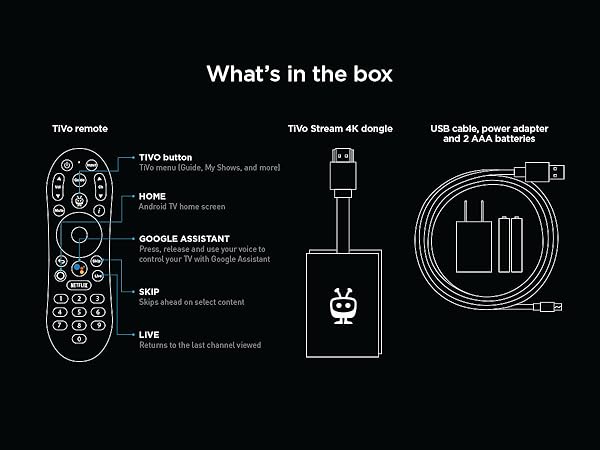
What's in the box
- Remote, Micro USB charger
Check Compatibility
Safety and product resources
Safety documents
Need help in finding the right media player?
From the manufacturer
One place for all your entertainment
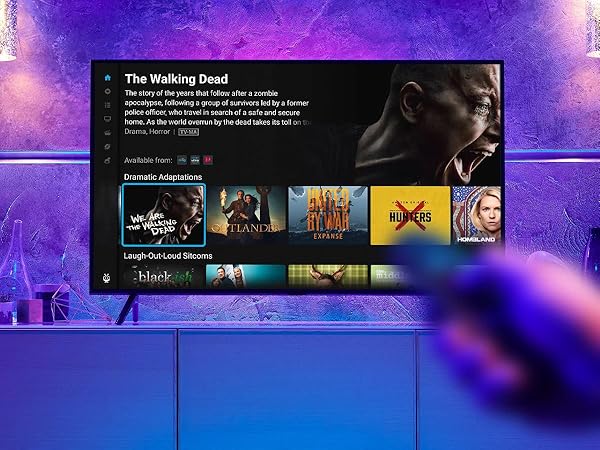
No more app-switching or remote juggling. Access your favorite movies, shows, sports and more, live or streaming, from a single screen.
-
TiVo Stream 4K Home
Like magic, press and find all your movies and shows in one place.
-
Full-Screen Guide
Go big with a program guide to see what’s playing on TiVo+ and your live channels from YouTube TV.
-
The Power of Voice
Say it, find it and watch it with Google Assistant.
-
Easy HDMI
TiVo Stream 4K plugs into your TV’s HDMI port for fast, high-quality video and audio.
-
Add Storage
Never worry about downloading too many apps, add more space by connecting an external drive to the USB-C port.
-
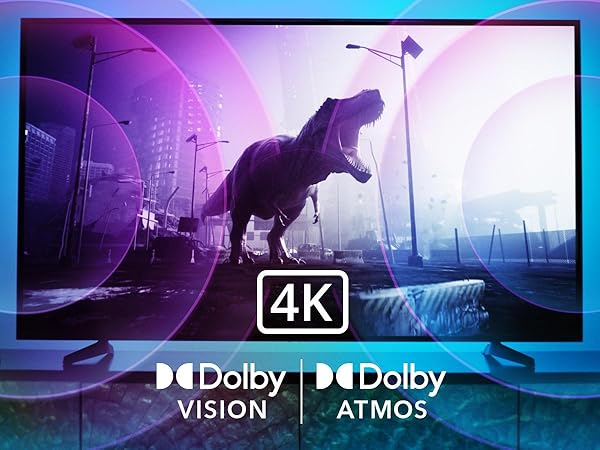
4K UHD, Dolby Vision, Dolby Atmos, & Chromecast
Tiny, mighty and feature-packed,TiVo Stream 4K brings the cinematic experience home. You can even cast from a mobile device to your TV.
Streaming streamlined
One place for all the big apps.
Powered by Android TV
The ultimate home theater
TiVo Stream 4K enables one centralized place for searching, browsing and creating watch lists across all your apps.
Bring together all your favorites and access 1000s of hours of free content, so you can find great movies and shows based on what you love, not where they live.
TiVo Stream 4K harnesses the power of Android TV. That means fast and effective voice control with the Google Assistant, tons of apps through Google Play and Chromecast built-in, too.
Get the full cinematic experience with 4K UHD, Dolby Vision HDR and Dolby Atmos.
| Size | 77mm x 53mm x 16mm |
|---|---|
| Processor | AMLOGIC S905Y2 |
| RAM | 2GB DDR4 |
| Storage | eMMC 8GB (with expandable USB-C port) |
| Wi-Fi Connectivity | 802.11 b/g/n/ac 2.45/5G MIMO 2T2R Wi-Fi |
| Bluetooth | Bluetooth 4.2 |
| Voice Support | Yes, with the Google Assistant voice remote |
| IR Device Control | The TiVo Stream remote can control the TiVo Stream 4K and certain functions (such as power and volume) on a wide range of compatible IR-enabled devices, including TVs, soundbars and A/V receivers. |
| Ports | HDMI 2.0a, Micro USB2.0, USB-C |
| Audio Support | Dolby Digital/Digital Plus, Dolby Atmos, DTS |
| 4K Support | Yes, with a compatible Ultra HD TV. All services may not be available in 4K/HDR. |
| Content Formats Supported | Audio: MEPG, AAC, HE-ACC, OGG, OGA, FLAC, ALAC, Ape, M4A, RM, MPEG-1 layer1/2, MPEG-2 Layer II, Dolby Digital/Digital Plus, Dolby Atmos, DTS, WMA, WMA Pro (WMV optional) Video: *.mkv, *.wmv,*.mpg,* .mpeg,*.dat, * avi,* .mov,* .iso,* .mp4,* .rm,* ,jpg,* .bmp,* gif etc… |
| Output Resolution Supported | 4K@60fps, 1080p/i, 720p |
| System Requirements | High-definition television with available high-speed HDMI input, high-speed internet connection via Wi-Fi |
| TV Compatibility | Compatible with 4K ultra high-definition TVs with HDMI capable of 2160p at 24/25/30/50/60 Hz and HDCP 2.2 or high-definition TVs with HDMI capable of 1080p or 720p at 50/60 Hz. |
| Regional Support | Certain services may not be available outside the U.S. |
Customers say
Generated from the text of customer reviewsSelect to learn more
Reviews with images
Submit a report
- Harassment, profanity
- Spam, advertisement, promotions
- Given in exchange for cash, discounts
Sorry, there was an error
Please try again later.Top reviews from the United States
- 5 out of 5 starsVerified Purchase
Tivo 4K vs Roku Stick Plus vs Chromecast with Google TV
Reviewed in the United States on December 30, 2020Update 2/16/2021
Still going strong. No issues. Only had to reboot it once in over 4 months. I think some of the "buggyness" others have experienced may be due to a poor wifi connection. If this is going to be placed far from your WiFi router you may have issues with spinning circle a lot. Mine sits right next to my router.
My only gripe still is that if I subscribe to YouTube TV it's not going to integrate into the native Tivo channel guide and the Tivo Channel guide does not allow you to create a favorite channels list. That's really the only two main drawbacks. But if I do switch from Sling to YouTube TV I'll put the Tivo on my bedroom TV and move my Chromecast with Google TV from the bedroom to my main TV.
Original Review
Tivo Stream 4K, Roku Stick Plus vs Chromecast with Google TV - For the $50 and under price range, these are the three best to choose from and I tried them all.
Tivo Stream 4K was my winner.
1) It's Android TV O/S so can load all the Play Store apps and use Google Assistant voice commands.
2) All apps I tried, Hulu, HBOMax, Sling, Netflix, etc, had 5.1 audio (that should have it) including Atmos on Netflix.
3) Remote correctly powers on and off the receiver, TV, and device itself. The Info button on the remote was critical so I could see the current video and audio stream spec on Netflix in realtime and discovered I wasn't getting 4K. Needed to go into my Yamaha and do a firmware update and change the video settings in the Advanced Menu to get the receiver to support 4K 60hz instead of 30hz. Not sure what made the difference in getting Netflix to stream 4K, the firmware update or changing 4K video mode from 2 to 1.
4) Live Channel Menu integrates Locast.org (free local TV via Internet), Sling, Pluto and Tivo channels. No YouTube TV of course but not using that. I'm actually using Stremium now as my Live Channel guide and Live Channel DVR. It's brilliant. I have Locast for all the major networks and Sling ($30) for mainly CNN and ESPN. The Stremium app for $5/month (or less annual), also possible on the Chromecast, may not be the best featured cloud DVR but for the price and the fact it can be my channel guide and DVR for Sling and Locast combined is really great. See ya later Comcast and hello $80/month savings without losing a single channel I like to watch.
I'm sure there are drawbacks I've yet to discover but so far the Tivo Stream 4K is a total sleeper compared to the more talked about Roku devices or CCWGTV. Maybe people think Tivo brand is old tech on its way out or something? Not my experience with this particular Tivo device.
On the CCWGTV, I liked the interface the best (especially if you use YouTube TV, which I don't) but it has been relegated to occasional use on my bedroom TV due to the following:
1) No 5.1 on some apps like mainly Hulu without having to cast from mobile device which is ridiculous to have to do that. Also no 5.1 on any Live TV Streaming Services except if you sideload AT&T Now app.
2) No ability to integrate other live channel services into the Live Channel Guide (not surprising as they want to steer you to YouTube TV)
3) Very disappointing remote (but what can you expect for a $50 platform?) No "Info" button on remote. Wouldn't control power on my Yamaha RX-V781 even with CEC turned on for everything to name just a couple frustrations.
Other minor gripes but those were the main 3 for me. If you don't mind paying $65+tax a month for your live TV via YouTube TV and you live in the Google Ecosystem, it's probably arguably the best choice for others as long as they are willing to wait for the kinks to be worked out in all the apps on the audio streaming formats.
Roku Streaming Stick Plus very promising. Better remote than Chromecast with Google TV. Simpler menu/navigation system preferable to many users, BUT, HBOMax not in 5.1 digital surround audio currently, just 2-channel PCM. Deal breaker. It's also not an Android TV device so you can't install any Android TV app from the Play Store although it has all the main apps. Moving between Android TV devices is easier in the future so you can use your Google account across a larger variety of current and future devices and not have to start from scratch when you change devices. With Roku, you are now tied to their properietary O/S that they have done a good job designing to make it easy for an average user.
Honorable mention: Amazon Fire Stick. If you live in the Amazon/Alexa Ecosystem of home devices this may be your preferred device. You can 'sideload' Android TV apps.
- 5 out of 5 starsVerified Purchase
Great device overall, updates made things complicated
Reviewed in the United States on May 29, 2026The Tivo Stream 4K is an excellent device overall. The quality is very good and everything worked perfectly for us for about two years. We really enjoyed using it during that time.
Recently, because of updates and restrictions related to Magic TV apps/services, it has become more complicated to use. Now it sometimes requires uninstalling, reinstalling, and doing a few extra steps so the TV doesn’t detect or block the app.
But aside from those recent issues, our experience with the Tivo Stream 4K itself has been excellent.
- 5 out of 5 starsVerified Purchase
Excellent streaming device compared to other options
Reviewed in the United States on September 28, 2024I am impressed with the smoothness of the interface and the speed of the overall app switching, remote response, and video feed. I recently cut the cord and discontinued use of my old Tivo cable box. I was planning to use the smart features of my Samsung TV to run all the apps I needed. And Samsung has a 'live TV app as well.' However, the speed of switching between apps is not great, and certain apps (Tablo) are buggy and may not work at all. We have a new top-end Roku box we bought for a different TV. However, IMO the app integrations and options for live TV built into the Roku are not as good as what the Tivo stick provides. I have had this Tivo stick for ~6 months for a small TV (even before I cut cable off), and I now realize it was the best option all along! For just $25 (currently)! So I am buying a second one. All the streaming apps I need work well, and the Tablo app also works nicely. And the remote is very solid.
I doubt you will regret purchasing this device. Perhaps if you just really don't want to spend time figuring out the interface, you might prefer a Roku. The interface is more complicated than a Roku, but that is because there is a whole section set up to simulate 'live TV' that integrates some live TV feeds with Pluto and other free streaming channels. That is more reminiscent of the older Tivo experience.
- 4 out of 5 starsVerified Purchase
Nice Item But !
Reviewed in the United States on June 7, 20216/10/21 Update .
Well you should read the below 1st
I had to cancel out HBO Max on my Amazon account & start up a new account. I was getting a message
from TIVO that I didn't have an active HBO Max account with Amazon. The same goes for Pramount+.
Well theres no Apple TV yet on TIVO. Truly I'm frustrated that I need to sign in with Google to get the
other paid streaming apps. Now some of my personal info is now avail to other formats especially that
this stick is working over WIFI & not Ethernet like my current Amazon stick. What TIVO should offer is
a newer stick that a Ethernet adapter can be added and give us trade in to get a stick with Ethernet connection. Also the ability to get these extra streaming apps off of Google sign in & apply them to there normal APP page.
6/8/21
Dont know how many people would agree with this. Its a really good item to have only if you can get an Etherent adapter for it also. I was having problems with the Amazon 4k stick it was crashing with WIFI 1st than also with the Ethernet adapter but at least with the Ethernet my whole house WIFI didn't go down with Fire 4k stick.
Well the TIVO stick offers up many Apps in advertising. But they dont tell you you need a GOOGLE
account for Premium Channels like HBO Max, Disney+. Even IMBD which is free you need an Google account which you dont need with the Fire 4K stick. I have an LG non Smart TV thats great. I am a big fan of TIVO since they 1st came out. With this they have you think that you just get a Tivo stick and grab the Apps from there list & your golden. Not so it took over an hour to keep setting up each App with new or old sign in & passwords from Amazon. Some of the Apps that I have on Amazon didn't come over. Well I have Peacock now but I'm not paying for Premium so I looked up my ole favorite Miami Vice nothing except the all so so terrible Movie version. If you dont have a separate sign in for HBO Max, Paramount+ you need to go find a work around or just cancel it from Amazon & create a new account across the board for Amazon Tivo Roku and so on.
What I had with Amazon was AppleTV which didn't come up in the TIVO list. They have this page
in settings so you pick the Apps that you want. Your checked off items should come up when you go to your Tivo App Home Page not so ! They give only there list of items included but you have to to the
Google app in that menu & sign in with a account. There than you can get HBO Max, Disney+ &
so on. It than appears on your personnel home app page. In which you have to sign into every app
that you might have had on another device or stick. Like I said if I had Amazon I would want everything
I have paid for from Amazon to crossover to the Tivo stick. One thing I have to say is the picture is
great it might be a little better that the Fire stick. Also you have in Audio settings in the manual mode
you can choose which Digital format you want Dolby Plus Atmos & my favorite the outstanding DTS !
I don't know how many other devices or sticks offer DTS but this is a 1st. thank you. Everything else
have Dolby Digital Plus only. For some that dont know DTS is far better is resolution impact & so on than Dolby.
DTS is similar to the Audio resolution of SONY mixed movies. Check out the newer Spiderman movies
& compare the SONY audio version to a Dolby only version. Still to this day most DVDs & Blu Rays & on offer DTS. Dolby to me is like White Bread compared to Wheat or Brain Bread.
Thank you have fun !
- 5 out of 5 starsVerified Purchase
Good device - Great remote - Android TV is just ok.
Reviewed in the United States on December 14, 2020Good device - Great remote - Android TV is just ok.
I have ROKU TV, FireStick 4k and this TiVo is my latest addition. Used to own Chromecast as well - gave it away.
Bought this TiVo 4k Stream because I wanted the ability to Chromecast a few apps that is not available on Fire TV or Roku. For example, Bein Connect is not on Fire TV - casting Bein from Android phone to TiVo 4k is not working great - buffering constantly. Tennis Channel app casting fails but these apps already have issues with casting to my older Chromecast.
Installed RetroArch and was able to run a few PSP, N64, NES and SNES Roms just fine using a Bluetooth controller. Games run smoothly with no issues on older console emulators.
The remote is super nice with plenty of buttons that I normally would not use but with Remote mapper app, I just re-mapped the TiVo button to a home button and Guide button to open Channels DVR. The I (for information) becomes a settings menu button.
The device is pretty much clean - some bloatware such as Tivo app and Live Channels app are pretty useless. After having installed everything that I needed (FTVLaunch, Wolf Launcher, Button Mapper, Remote Mouse, ReTroArch, etc) there is still over 1.3GB of space left. FireTV Stick only left me with 500-600mb due to all the bloatware it comes with so FireStick 4k just seems somewhat slow at times comparing to TiVo 4k Stream. I also get this running out of space pop up all the time on FireStick.
Another nice touch of this Tivo 4k Stream is the additional USB-C port for adding storage. Typically, I had to buy an OTG cable (or a USB adapter) if I want to use an external USB drive.
Now comes the part I don't like; Android TV does not have all the apps as I had hope. Its Play Store is still missing Apple TV (Availble on Roku and Fire TV) Bein Sports (Available on Roku) Tennis Channel (Available on Roku and FireTV) and Fios TV apps - Not available on any TV box but can be sideloaded onto FireTV and using Remote Mouse to navigate.
The interface is terrible - I don't know which one I hate more - Amazon Fire or Android TV. Luckily, one can install Wolf Launcher (As clean as Roku interface but customizable with ZERO ADS) easily so there is no need to see something you don't want to see on your paid device. Amazon Fire TV interface just plain bad and Android TV is just confusing. Roku is probably has the most user friendly interface so Wolf Launcher will make your TiVo interface looks more like your phone or tablet where each apps are listed in their category.
All in all, I think it's a great device for 40 bucks. It does the same thing as ChomeCast with Android TV but is cheaper. It comes with probably the best remote out of any devices I have used.
- 1 out of 5 starsVerified Purchase
REALLY Wanted To Love This Device, But Man What A Disaster This Thing Is!
Reviewed in the United States on November 10, 2020I've been a fan of Tivo products since the days when you could hack them up & re-purpose them into a beast of a DVR. Then, like a lot of us, I got away from DVRing at home & more into the convenience of just streaming & cloud DVRs.
That was back when Netflix was still sending out DVD's in the mail & just toying with the idea of streaming. This new "gift" of streaming content from Netflix brought me to the Roku ecosystem (as back then it was the only way to watch Netflix on your TV).
And I've been using Roku as my main digital media player platform since then.
Fast forward to this little guy, the Tivo Stream 4K. This is a long way from their days of being a DVR company.
For me, this wasn't a required device. It was more of a geeken curiosity. As it looked like it had incredible potential. Possibly more, dare I say, than my cherished Roku!
Just the ability to aggregate all of your content into one central area was VERY appealing. Not to mention the price point was very sweet (I think I picked this guy up for under $45.00 at the time of purchase).
So, I was stoked to try this thing out & REALLY wanted to love it (even though I was unsure where it would fit among its Roku adversaries).
Setup was pretty straightforward. A built in stubby HDMI dongle plugs into your TV (or a monitor if not using a TV). Power comes from the included USB cable. According to Tivo docs, you must use the included AC adapter. So DON'T plug into a USB port on your TV or display.
And JIC you're wondering if you can use this device as a portable media player to plug into your laptop, the answer is NO (unless, you have an HDMI port on your laptop that accepts an INBOUND signal).
Most laptops, however, only have HDMI OUT (IE: to port out your laptop screen to a TV or monitor). So just be aware of this consideration if that's your intention.
Once hookup is complete, you will power on the device from the remote. There are no buttons - outside of what appears to be a RESET button - on the Tivo itself - & follow on screen instructions to continue & complete setup.
There are also no lights on the dongle. Not sure why, but none that I've yet to find.
At this point, you will pair your remote & hook into your WiFi network.
NOTE: You can use your Android phone (not sure about IOS) to transfer your WiFi settings to the Tivo or use the remote to setup on-screen.
Once completed, you can login to androidtv.com/setup & complete the remainder of your setup (which includes activating your device, setting a Tivo account & downloading apps like Netflix, Hulu, Prime Video, HBO Now, etc..).
Another huge draw to this unit (at least for me) was Sling integration. It was really interesting to see how Sling was going to be pulled into this aggregated content.
And this is where things started going downhill.
This device is incredibly buggy. Not to mention excruciatingly slow. On my first go at it during setup, I was able to configure the unit & add apps. It was slow, but just figured it was buffering & updating firmware, etc.. And doing over WiFi was not helping things.
There is a Micro-USB port on the side of the unit. This is intended for adding additional storage. However, you can probably add a USB ethernet adapter (and SHOULD if you have that ability). But once I powered off the device & moved it to a different location, is when things really went south.
The WiFi antenna on this unit is questionable at best. And connection quality is hit or miss causing random outages, buffering & stuttering. But the real issue is just slow, clunky movement thru the interface. Man, it's brutal.
However, in my continued efforts to get this thing nailed up, my unit was moved once again. This time even closer to the WiFI AP.
And this is where I finally called it. It refused to connect to WiFi after this last move.
I even went into settings & tried a static IP. No go. I tried to connect thru a WiFi extender. Still no go. Finally, I reset the unit (effectively killing all of that previously tedious setup) & factory wiped the device. Now, it will not even reconnect to WiFi.
And just to note. Once you get this unit setup, you have to login to all of your accounts & install one at a time.
Is there's no way better way to do this, Tivo?
And the short time I did have the unit working, I felt the interface to be unnecessarily cluttered. Especially being spammed with all sorts of the ads for shows that I "should" check out (cleverly disguised as suggestions to watch).
This testing went on over the course of a couple of days. I spent WAY too much time banging around on this thing. Much more than anybody should EVER have to (or be expected to).
Maybe as time goes on (and with a firmware update or two) this device will get better. And maybe I just got a dud.
Both are possibilities.
However, for most users (especially those who are non-technical & just want to get to their programming), if this is the current revision of this device, then it must be a HARD PASS for now.
I'm going to return this lemon & try out the Chromecast with Google TV.
Maybe I shoulda done that first :-[
- 5 out of 5 starsVerified Purchase
Great streaming device for the price!
Reviewed in the United States on March 27, 2026This streaming device works отлично. It’s fast, easy to set up, and has access to all the main apps. The picture quality in 4K looks amazing, and the remote is simple to use. Everything runs smoothly without lag. Great value and highly recommended!
- 3 out of 5 starsVerified Purchase
Connectivity interruptions and remote control performance are disappointing
Reviewed in the United States on January 13, 2021This is a mixed bag for me...
Pros:
- Installation and set up were easy and clean, no problems there, it's dead simple--plug it into the wall, plug it into your HDMI and that part is done. The installation interface too for the TiVo Stream itself was fine, no problems.
- It seems comparable to many other streaming devices in that it handles all the available options, as far as I know. I am not particularly experienced with this so I don't know if there are deeper technical issues that might be there, but we were able to connect to Netflix, HBO Max, Disney + without any issues. So content-wise, it seems to be just fine and able to handle all the options.
Cons:
- The worst overall is the frequency that we see interruptions while playing shows or movies. We haven't gotten through a full, feature length movie yet without at least one spinning arrow interruption, which is quite frustrating when you're trying to let yourself get swept up into the movie and it pulls you back out to a sucky reality of staring helplessly at the screen wondering how long it will need to get caught up.
- I cannot explain or understand how it might be related to this, but several times now, while we were watching a show or movie, it would drop the connection and throw an error. Somehow our FiOS modem got cranked and the only way to get it going again was to reboot the modem from the ground up, a full "unplug it and plug it back in". Once I did that, the modem would reconnect, and the Stream 4K remembered where we were in the movie/show, and would usually finish the rest uninterrupted. Like I said, I can't prove that the Stream 4K causes this, but I can say that we have not experienced that kind of problem with our FiOS modem previously and now it happens commonly while watching content through the Stream 4K. If anyone knows of a solution to this (I'm trying to dig into the error code but no fix yet) I'll be delighted to hear it.
- I have not researched other options enough yet to know if this is normal or not, but it only has the option of streaming the content through Wi-Fi, no option for hard wiring it. Sure, we can talk all day about the rated specs for transfer rates of Wi-Fi versions versus Ethernet, but my personal experience has always been that Wi-Fi is much less reliable than Ethernet, particularly for higher transfer needs, like trying to stream HD video with full sound, and I'm not even trying to watch on a 4K screen! I suspect that if I could hard wire it with Ethernet then we would never see issues with bandwidth drop outs like we do regularly now.
- The remote is also just flaky. It has some appealing options to learn how to control your TV channels, volume, input selection through infrared (IR). But I have a programmable universal remote that uses both IR and Radio Frequency (RF) commands, and this remote uses only Bluetooth (BT) control between the remote and the streaming device itself. That does give you the option of installing it remotely, which is my case. I have a component stack in a closet with the Stream 4K plugged into an A/V receiver that ports video to my TV and audio to my surround sound--that all works fine with just the Stream 4K plugged into the receiver by HDMI. The lack of any RF capability may only relate to me, since I want to put the Stream 4K commands into my programmable remote, but I can't since my remote doesn't include BT. I can understand that many companies are moving to BT and even using controls through the Wi-Fi so I'm not downgrading the Stream 4K for that as such, just frustrated myself that their product info does not clarify how the remote controls the TV versus the streaming device itself. I'm still waiting to hear back from TiVo tech support to see if it might have any RF capabilities but I'm not optimistic.
- Beyond the issues with my own remote set up, the remote also doesn't communicate smoothly with the device via BT. It's common that I will press a button such as "Right" to move to the next selection in a list of movies, for example, and instead of moving one selection it acts like I'm holding the right button and it repeats maniacally all the way to the end of that list. I'm well within the quoted distances for BT and my programmable remote that uses RF performs all the same functions without any of that kind of issue. Doubly frustrating since my previous TiVo remote used both IR and RF flawlessly for years, and now this new remote doesn't maintain that historical platform--where IR and RF have been around for decades and are still very common.
Bottom line, it works, but it also has significant issues and I"m not delighted or impressed by any means. In fact, my overall experience means that I'm looking at alternatives to replace it.
Top reviews from other countries
Julie1 out of 5 starsVerified PurchaseNe fonctionne pas en France !!
Reviewed in France on July 1, 2024Très déçue 😞. J'étais impatiente de l'installer. Au début j'ai suivis les étapes et tout allait bien. Jusqu'au code d'activation qu'on doit rentrer sur le site de Tivo. Là il faut créer un compte, sauf qu'on ne peut pas choisir d'autre pays que les États-Unis.
Impossible de rentrer une adresse française, donc d'enregistrer le produit, donc de l'utiliser..
J'aurais apprécié que ce soit mentionné dans le descriptif!
Sending feedback...Thanks, we'll investigate in the next few days.Sorry, We failed to report this review. Please try again
AHRM5 out of 5 starsVerified PurchaseEasy set up, and good quality.
Reviewed in the United Kingdom on May 28, 2025Bought this item before. Easy set up, and good quality.
Sending feedback...Thanks, we'll investigate in the next few days.Sorry, We failed to report this review. Please try again
Wolfrumble5 out of 5 starsVerified PurchaseAffordable price and works well
Reviewed in Singapore on March 30, 2024NOTE: Bought this at about $30 USD. You need to have a US Tivo Account in order to set up the Tivo Stream 4k so I advise you to create one first before getting this so that you won't waste any time. FYI, I'm not from the US.
Was looking for a streaming device that would allow me to access my Media Server remotely and conveniently. I use Jellyfin for my server and Tailscale so that I can access this server outside my LAN. With the Tivo Stream 4k's Google Play Store, I could simply install these 2 applications and meet my objective. Now, I can just bring the Tivo anywhere I go, plug it in to any display monitor and have access to all my files.
I recommend installing a launcher like Projectivy so that you can escape all the bloat from the default launcher. There's also a USB-C port on the side if you want to attach additional components like extra storage or an ethernet adapter. Overall, this device has been working very well for me for the past month.
Sending feedback...Thanks, we'll investigate in the next few days.Sorry, We failed to report this review. Please try again
Harminder Singh4 out of 5 starsVerified PurchaseGood but after some updates having issues
Reviewed in Australia on November 7, 2024After i updates i cannot control my sound bar from this remote even tried restoring and everything now i have to use three remotes to control my tv.. thinking to swap with something else now
Sending feedback...Thanks, we'll investigate in the next few days.Sorry, We failed to report this review. Please try again
bikerwich5 out of 5 starsVerified PurchaseExcelente producto y servicio al cliente!!
Reviewed in Spain on October 25, 2023Excelente producto y servicio al cliente!!
Sending feedback...Thanks, we'll investigate in the next few days.Sorry, We failed to report this review. Please try again
How customer reviews and ratings work
Customer Reviews, including Product Star Ratings help customers to learn more about the product and decide whether it is the right product for them.Learn more how customers reviews work on Amazon
Similar brands on Amazon
Product Summary: TiVo Stream 4K – Every Streaming App and Live TV on One Screen – 4K UHD, Dolby Vision HDR and Dolby Atmos Sound – Powered by Android TV – Plug-In Smart TV, One size
From TiVo
About this Item
- No More App-Switching. Forget learning to navigate a new screen with every app. TiVo Stream 4K enables one centralized place for searching, browsing, and creating watch lists across all your apps..DC Input Range 5V/1.0A. Power Consumption : Maximum 5 W
- Recommendations Across All of Your Apps: Get rid of the walls between what you watch. TiVo recommends your next favorite shows and movies based on what you love, not where they live.
- Say it and watch it. The power of voice control makes it easy to find shows. Integrated Google Assistant allows you to launch apps, dim the lights and more.
- One place for all your favorite streaming apps. TiVo Stream 4K includes Netflix, Prime Video, Disney+, Peacock plus many more, so you can get to your shows fast.
- TiVo Stream 4K is one of Time Magazine’s “2020 Best Inventions, Special Mention” and PCMag hails it as “an excellent media streamer for TV lovers.” Operating Temperature 0˚C - 40˚C
Product Description
Important Information
Visible screen diagonal
0" / 0 cm
Product Guidance & Documents
Feedback
Did you find this product summary feature useful?
Yes, it is useful No, it is not useful