

Become a MacRumors Supporter for $50/year with no ads, ability to filter front page stories, and private forums.
Dude, with all due respect, you really need to read posts before commenting. Please see above for context.
Ignore them.
Apple literally just released a security update for the, and yes I am serious when I say this, 2014 iPad Air 2… two months ago.
The 2020 M1 MacBook Air is more than fine andwill continue to work absolutely flawlessly for the next several years, likely receiving the latest software updates until about the end of this decade and security updates well into the 2030s.
If anything, the hardware is a lot more likely to fail way before the computer stops receiving any security updates.
 
Ignore them.
Apple literally just released a security update for the, and yes I am serious when I say this, 2014 iPad Air 2… two months ago.
The 2020 M1 MacBook Air is more than fine andwill continue to work absolutely flawlessly for the next several years, likely receiving the latest software updates until about the end of this decade and security updates well into the 2030s.
If anything, the hardware is a lot more likely to fail way before the computer stops receiving any security updates.
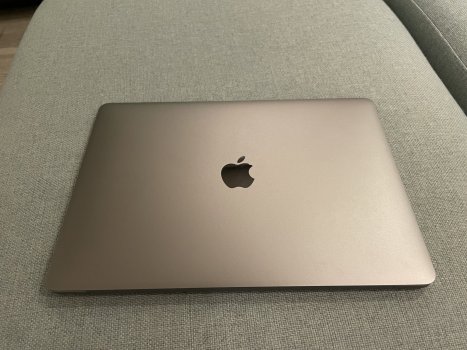
Agreed. Lots of folks here worry about Apple ending support of various Macs, which in my experience of all Macs has almost never been an issue IIRC. RAM limitations (a decision made by the buyer now) or mass storage limitations or hardware failure or just old/slow are instead usually what ends a Mac.
 
Usually, there are about 7 years of OS updates and about 2-3 years of security updates after that- from when it was made.
After 7 years, most Apple products become 'vintage' meaning they stop making parts for them. There may well be parts available somewhere for a long time and they may still work for a long time, but at about 7 years you won't be able to take them into Apple to get them repaired.
So overall, around the 7 year mark is where things change.
But note, we still have a 2016 Macbook that's used everyday and works extremely well.
wrong

5 years = vintage
7 years = obsolete

an obsolete device can no longer be repaired or serviced and apple will not sell spare parts to authorized service providers.
 
wrong

5 years = vintage
7 years = obsolete

an obsolete device can no longer be repaired or serviced and apple will not sell spare parts to authorized service providers.
An obsolete device can no longer be repaired or serviced by Apple. Service and repair it yourself, or find a repair shop to do it for you. There are many.

Apple will not sell spare parts to authorized service providers. Source spare parts yourself, either genuine parts salvaged from other machines or good quality spare parts from third party providers. Shop around and spend time reading up on which third party providers do provide good quality parts.
 
Last edited:
I still love my Mac Pro 5,1. I just think it was brilliantly designed and built. The only reason I don't use it today as my main server is the power consumption.
Oh yeah! The super power drain. The way energy prices are here in the UK, I'd need to get a second job to run the thing! But I will get it fixed just to be able to use it every so often.
That would be very nice, fun and exciting being that young and opening a new MacBook air just for her!
just the packing, green tabs, that protective casing then
CHIMMME!
then the MBA launches, language then asks to log in...... just for that special person!
Alas, it's not new, hence the price. But it is in mint condition. But she'll still be happy to power it up and I'm going to get her to set it up herself and I'll.just guide her through it. I will of course be using it myself too πŸ˜‰
 
wrong

5 years = vintage
7 years = obsolete

an obsolete device can no longer be repaired or serviced and apple will not sell spare parts to authorized service providers.
And this is five years and seven years from discontinuation, not from introduction.
And also, this is just regarding hardware support, not software support. The two things are very, very different and usually don’t align.
The 2007 iMac was declared vintage in 2013 and obsolete in 2015.
It continued receiving the latest software updates until 2016, and security updates until 2019
 
  • Like
Reactions: Happy_John
It arrived early 😁 And my little one, although trying her darndest to not show it, was super excited. I did tease her a little by saying there was no need to set it up today and she rather quietly said that was fine. But then I told her I was joking and made her set it up herself.

Although used, you'd never know it. Not a scratch or cuff on it had been in a Spigen Uktrafit skin.

Thank you again guys for all your help and advice on the purchase. Really appreciate it ❀️

IMG_0537.jpeg
IMG_0536.jpeg
 

Attachments

  • IMG_0537.jpeg
    IMG_0537.jpeg
    575 KB · Views: 2
It arrived early 😁 And my little one, although trying her darndest to not show it, was super excited. I did tease her a little by saying there was no need to set it up today and she rather quietly said that was fine. But then I told her I was joking and made her set it up herself.
To many years of productive (and fun) use! These machines can largely outlast their intended lifespan (with some components maintenance; speaking of which you might want to check the battery vitals on your new acquisition)

/cut teeth on an apple2 (clone)
 
  • Like
Reactions: scouser75
Register on MacRumors! This sidebar will go away, and you'll see fewer ads.